
Solwees Marketing AI: the assistant that prepares your campaigns
Marketing e promoçõesAtualizado a 21 de outubro de 2026Vídeo 1:14Com o módulo IA no marketing
Este guia está em inglês por agora.
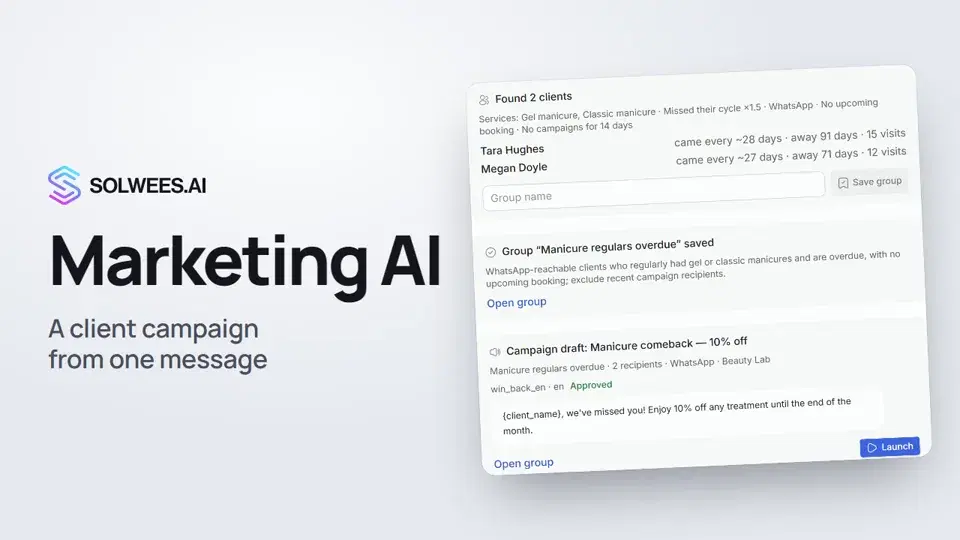
Solwees Marketing AI is the campaign assistant in Marketing. You describe in your own words who to write to and about what, and the assistant finds those clients in your base, saves a group, picks or writes a WhatsApp template and prepares a campaign draft. It can’t send messages to clients itself: you launch the campaign.
Where to find it
Open Marketing in the left menu. The assistant’s chat takes the left side of the page; auto campaigns and the broadcast history are on the right.
The assistant is part of the AI in marketing module. If the module isn’t connected, you’ll see a button to Billing instead of the chat.
What the assistant can do
| What to ask | What the assistant does |
|---|---|
| Find clients | Picks clients by services, visit rhythm, number of visits, spend, birthdays, tags and language. For example, clients who came for a manicure every month and stopped |
| Build a group | Shows how many clients it found and why each one is on the list, and saves the group. It appears in Client groups |
| WhatsApp template | Checks your templates. If there’s no suitable approved one, it writes a new one and submits it to Meta for review |
| Prepare a campaign | Prepares a draft: the group, the channel, the message and the number of recipients |
| Show results | Shows how many messages were sent, delivered and read, and how many clients replied and booked |
How to prepare a campaign
- Open Marketing.
- In the field at the bottom of the chat, write the task, for example: “Prepare a campaign for clients who came for a manicure every month and stopped. 10% off until the end of the month”. You can also click a ready example under “Try asking”.
- Send the message. While the assistant works, the line under your message shows what it’s doing: looking at the salon’s data, counting the audience, preparing the draft.
- Check the cards in the reply: how many clients were found, the saved group and the campaign draft with the message.
- If everything is right, click Launch on the draft card and confirm with Yes, send to … (the button shows the number of recipients).
If the WhatsApp template is still in Meta review, the Launch button is inactive: you can launch the campaign once the template is approved. The review takes from a few minutes to a day.
What the assistant doesn’t do
- It doesn’t send messages to clients or launch campaigns. It only prepares the draft.
- It doesn’t promise discounts, gifts, prices or deadlines you didn’t name. Without an offer it writes a neutral message or asks what to offer.
- It doesn’t add its own selection conditions. If one could help, it suggests it separately.
- It doesn’t show clients’ phone numbers in the chat.
Tips
- Name the offer and the deadline right away, for example “10% off until the end of the month”. The assistant then prepares the campaign in one go.
- Write the conditions the way you’d tell your front desk: which service, how many days the client hasn’t come, whether they have a booking.
- Before launching, open the group with Open group and see who is in it.
- Need a different selection or message? Say so in the same chat: the assistant remembers the group and template it already made and prepares a new version.
What happens after the launch
- Recipients are counted at the moment of launch, not when the draft was prepared: if the group changed in between, the campaign goes to the new list.
- The campaign starts in daytime, between 9:00 and 21:00 in your workspace’s time zone. Launched in the evening, it starts at 9:00 the next day.
- A client gets a group campaign no more than once every three days, even if they are in several groups.
FAQ
Will the assistant send the campaign by itself?
No. It prepares the draft, and you start the sending with the Launch button on the draft card.
Where are my earlier chats?
Under the greeting in Recent chats, or behind the history icon in the chat header. The icon next to it starts a new chat. When you open the page, you land in your latest chat.
Which language does the assistant reply in?
The one you write in.
The assistant says there’s no visit history. What do I do?
Load clients and visits from your CRM: Clients → Import from CRM. Until there’s history, the assistant can pick clients by channel, tags, or those who haven’t had a visit yet.
Can I write to clients on Telegram?
Yes, but only to those who have already written to your Telegram bot.
The assistant says the request limit is used up.
The assistant has a daily request limit. The message shows when you can write again.
Transcrição do vídeo
Tudo o que o narrador diz. Um tempo reproduz o vídeo a partir desse momento.
What Solwees Marketing AI can do
Solwees Marketing AI is your campaign assistant. Describe in your own words who to write to and about what, and it prepares the campaign. Open Marketing in the left menu: the assistant's chat is on the left of the page. It picks clients by services, visit rhythm, spend and birthdays, and writes WhatsApp templates.
How to write the task
Write the task as you would to your front desk: who to write to and what to offer. Tip: name the offer and the deadline right away. The assistant never promises discounts you didn't give.
How the assistant prepares the campaign
The assistant looks through your client base and visit history, and the line under your message shows what it's doing. It shows how many clients it found and why each one is on the list, and saves the group. Then it prepares a campaign draft: the message, the channel and the number of recipients.
The draft and the launch
The assistant never sends anything itself: you launch the campaign with the Launch button. Done. How to keep your WhatsApp number safe from a ban is in the next video.
Respondeu à sua pergunta?
Mais sobre este tema
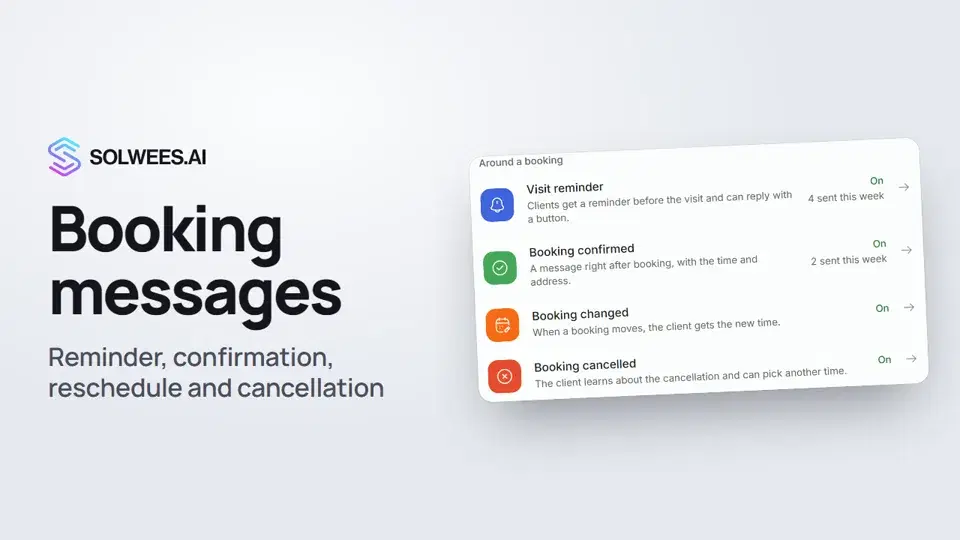 Booking messages: reminder, confirmation, reschedule and cancellationHow to turn on automatic booking messages in Solwees: the visit reminder, booking confirmed, changed and cancelled, and where they are sent.1:27
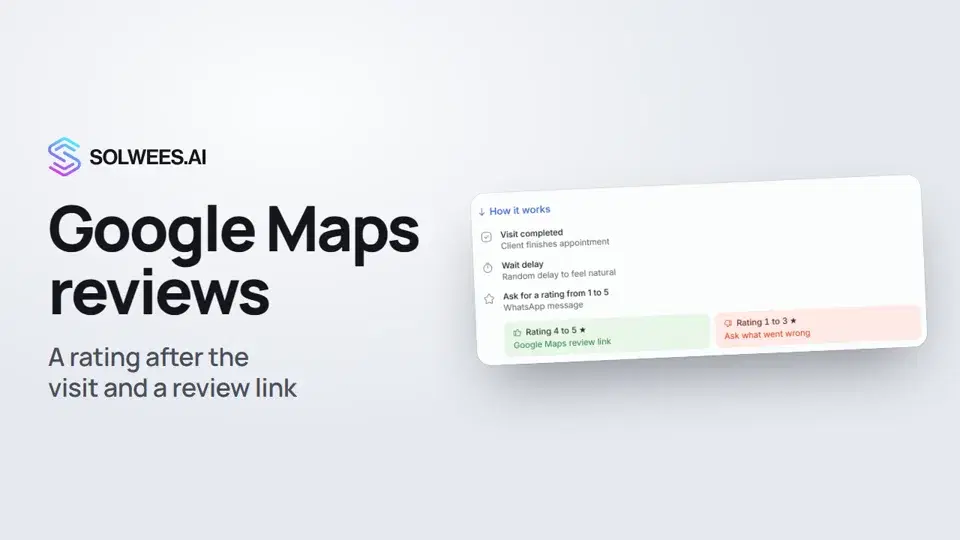 Google Maps reviews: a rating after the visit and a review linkHow to set up the after-visit rating request in Solwees: happy clients get a link to review you on Google Maps, unhappy ones are asked what went wrong.0:54
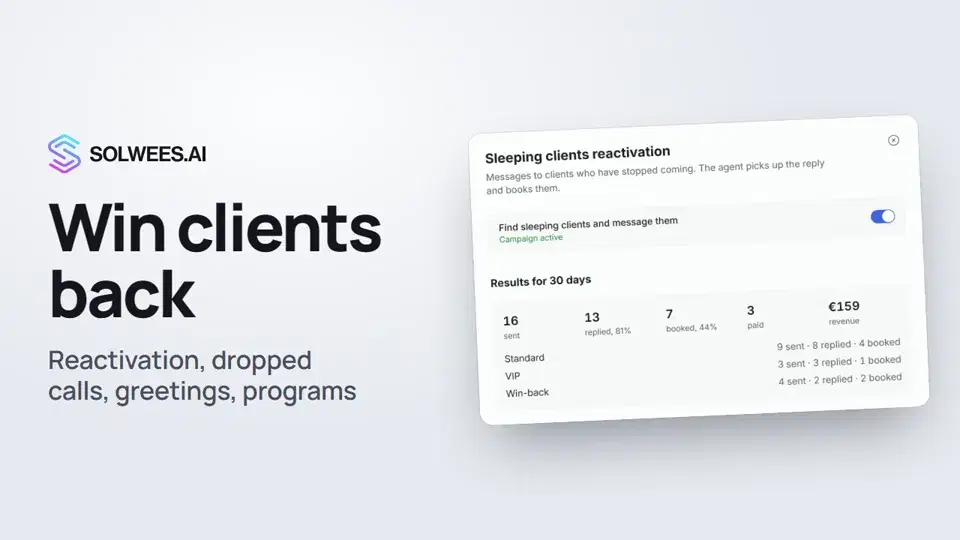 Winning clients back: reactivation, call follow-up, greetings and programsHow to win clients back with Solwees: sleeping clients reactivation, a follow-up after a dropped call, birthday and holiday greetings, and retention programs after a visit.1:36
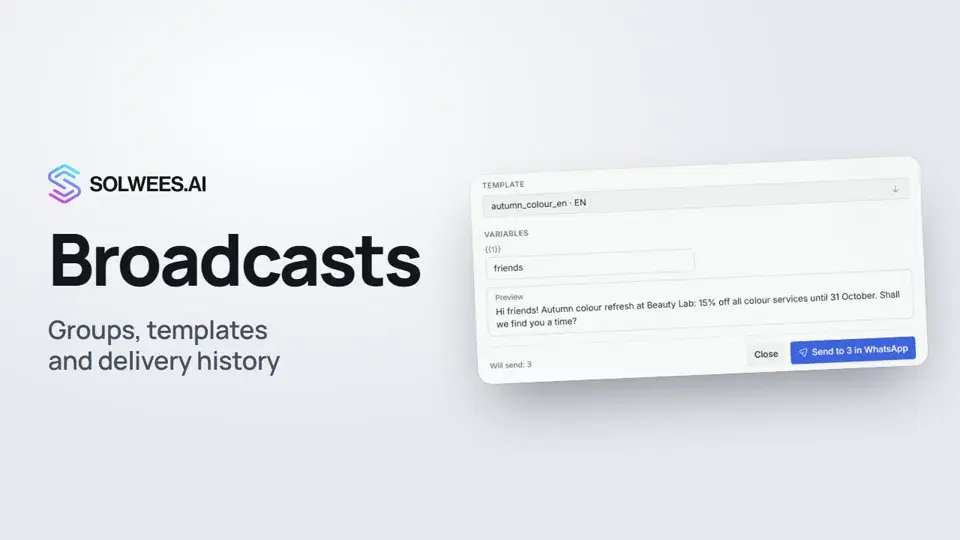 Broadcasts: how to message clients in WhatsApp and TelegramHow to send a broadcast to clients in Solwees: build a client group, pick a WhatsApp template or write in Telegram, check who got the message and see the analytics.1:26
Precisa de mais ajuda?
Pergunte à Sola no painel
O botão do assistente no canto de qualquer página do painel conhece cada definição e mostra onde está.
Abrir o painel