
Every chat, call and booking in your pocket.
Solwees answers your clients on its own. The app shows what it is doing, calls you in when a person is needed and lets you run the day from anywhere: reply in a chat, take a transferred call, check today’s bookings, move a deal.


For iPhone and Android phones. In English, Spanish, Russian, Ukrainian and Georgian.
The whole business, screen by screen.
Chats, calls, dashboard, deals, customers and profile. Here is what is inside.
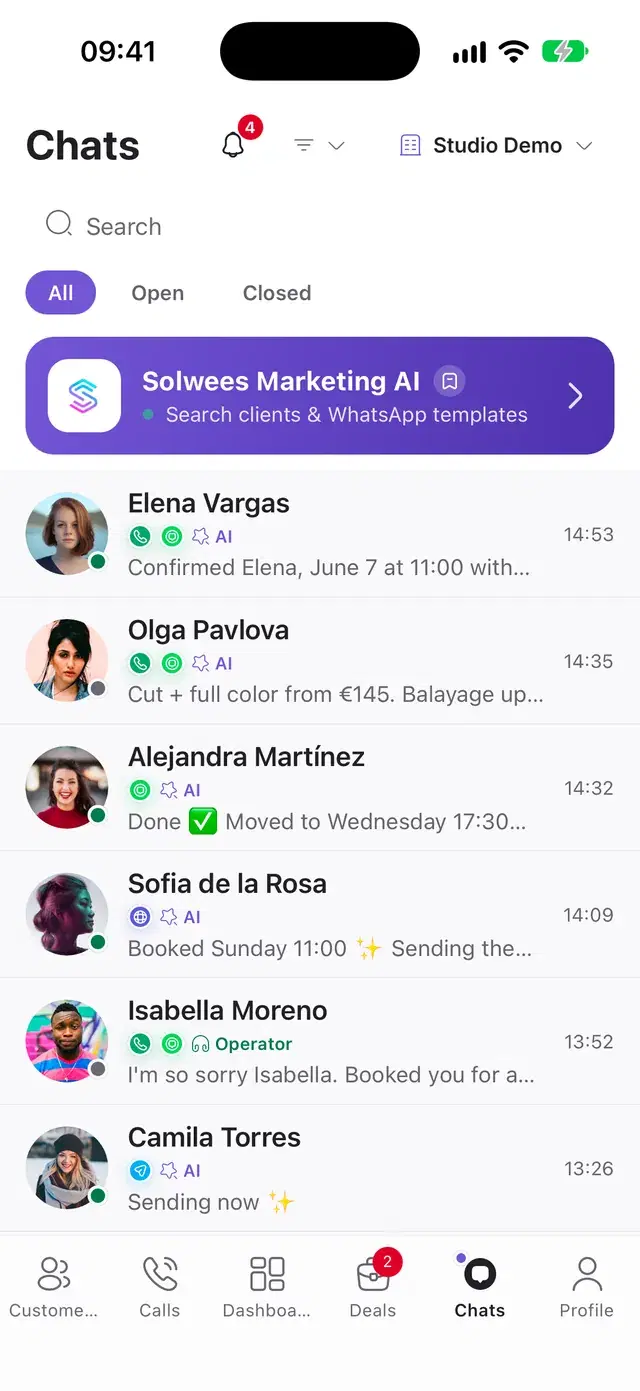
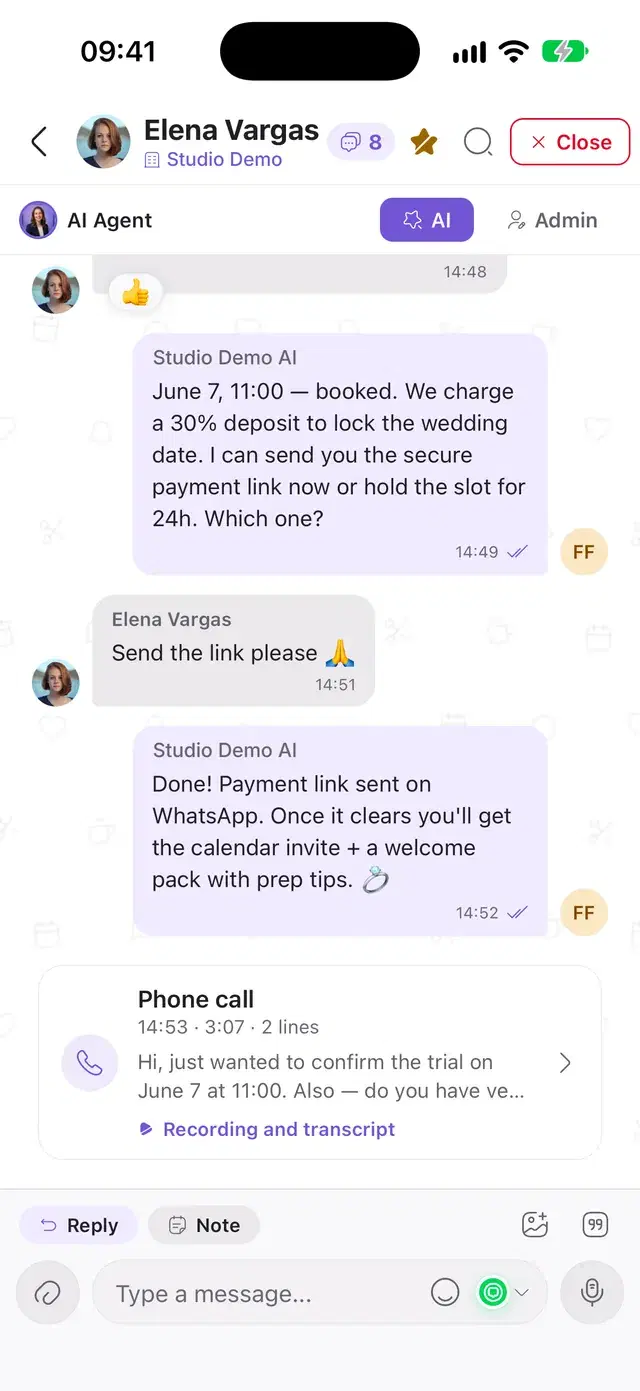
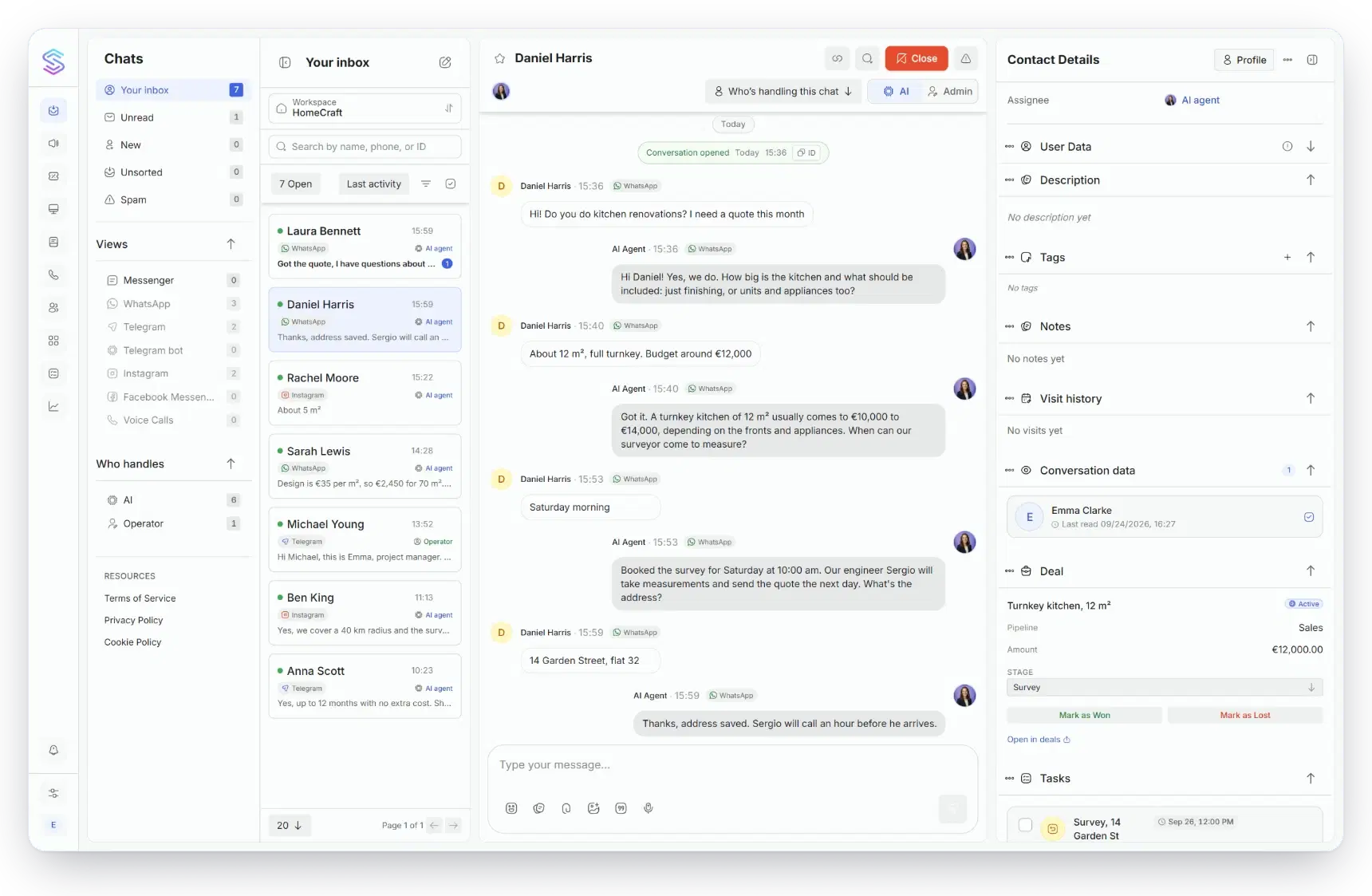
WhatsApp, Instagram, Telegram, Messenger, Viber and the chat on your site land in one list, one row per client. You can see at a glance who Solwees is answering and who is waiting for a person.
- Hand a chat from Solwees to yourself and back in one tap. Start typing and the chat is yours.
- Voice messages, photos, video, documents, or a photo straight from the knowledge base.
- Internal notes, mentions of teammates and quick replies.
- Search through the whole history with a client, across all channels.
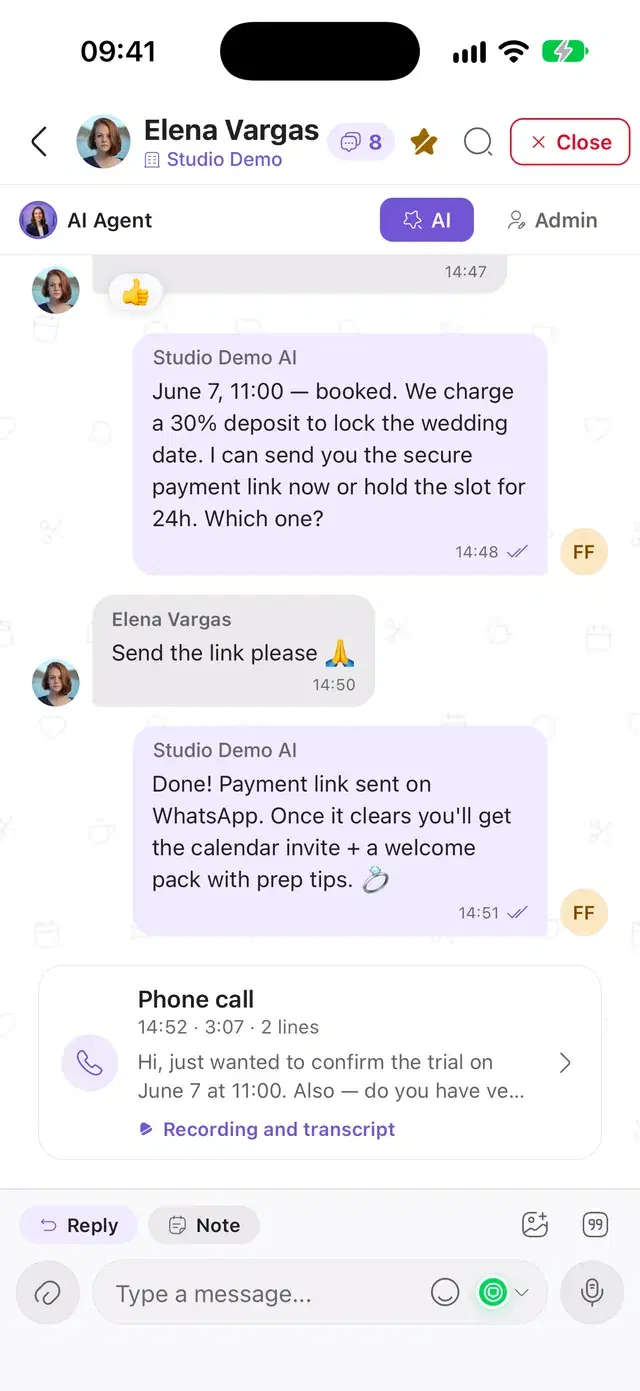
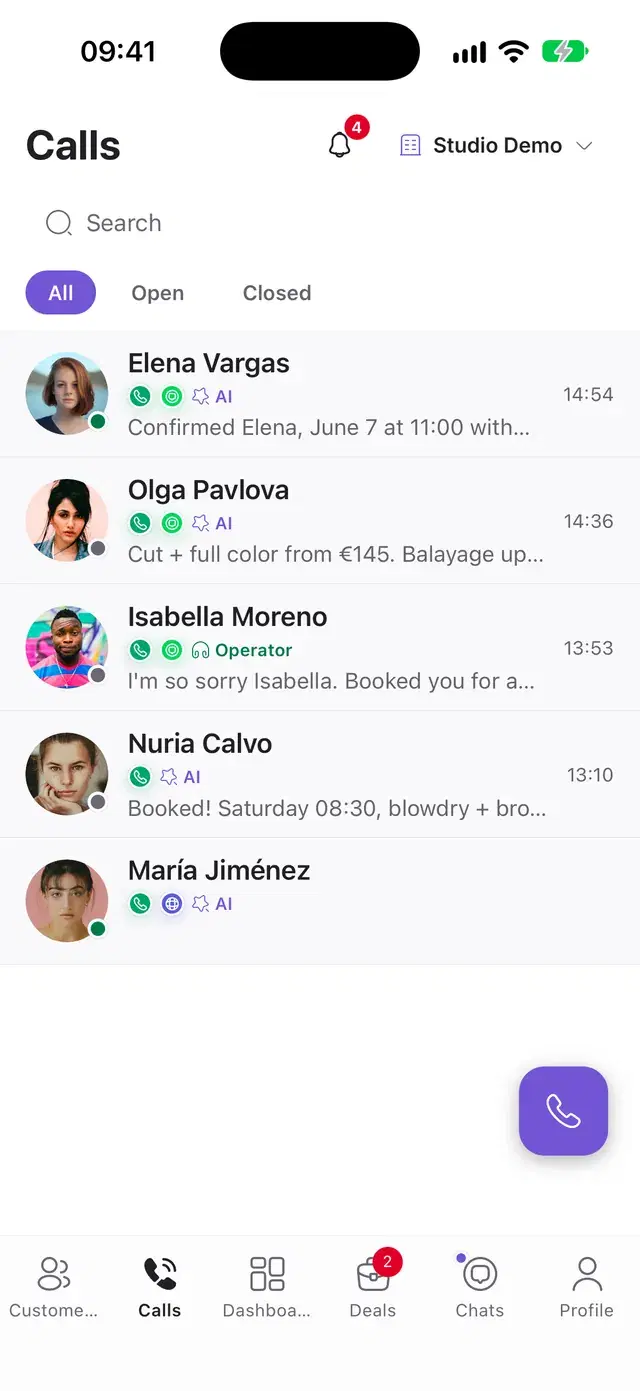
Calls that Solwees took sit in the same thread as the client’s chats. Open one to read it line by line or listen to the recording.
- When a caller asks for a person, the call rings in the app with the reason on screen. Accept or decline.
- If nobody picks up in 30 seconds, Solwees goes back to the caller and carries on.
- A player with seeking and a transcript that shows who said what.
- Call back from the call screen or the client card: the app opens your phone’s dialer.
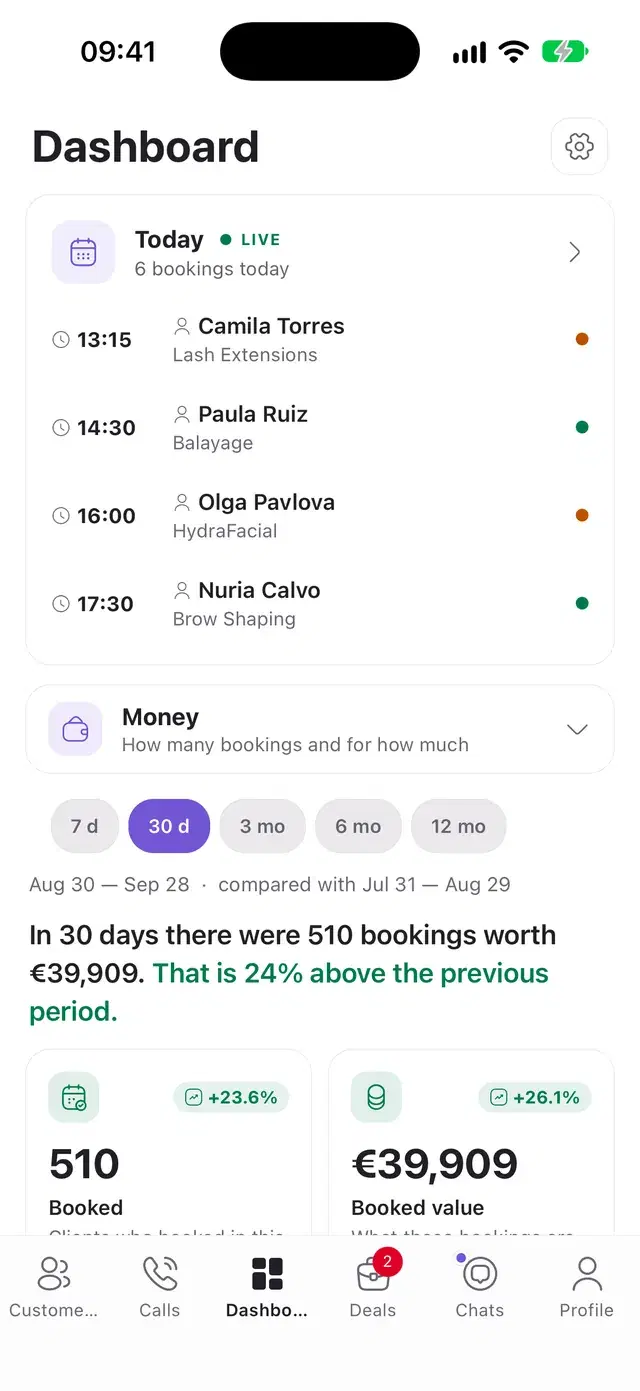
The first card is today: who is coming and when. Below is the report: bookings and their value, how many conversations ended in a booking, how many Solwees closed without you.
- Six views: money, conversations, bookings, channels, customers, campaigns.
- From 7 days to 12 months, always against the period before.
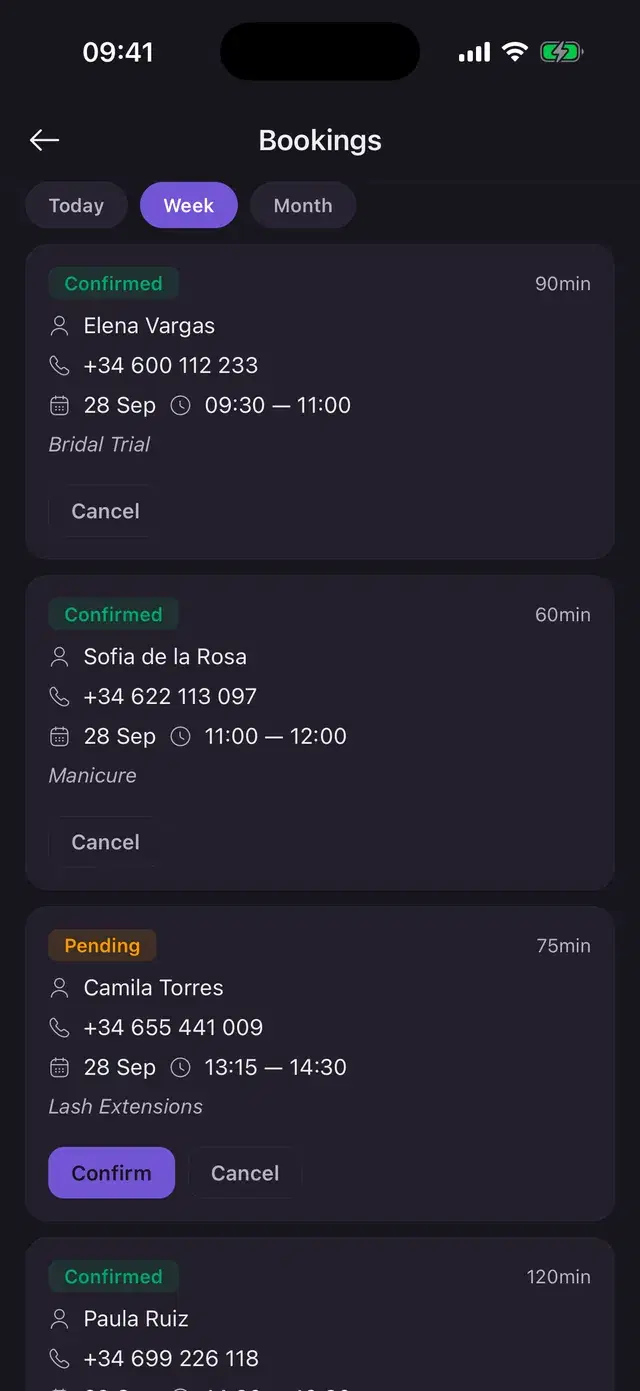
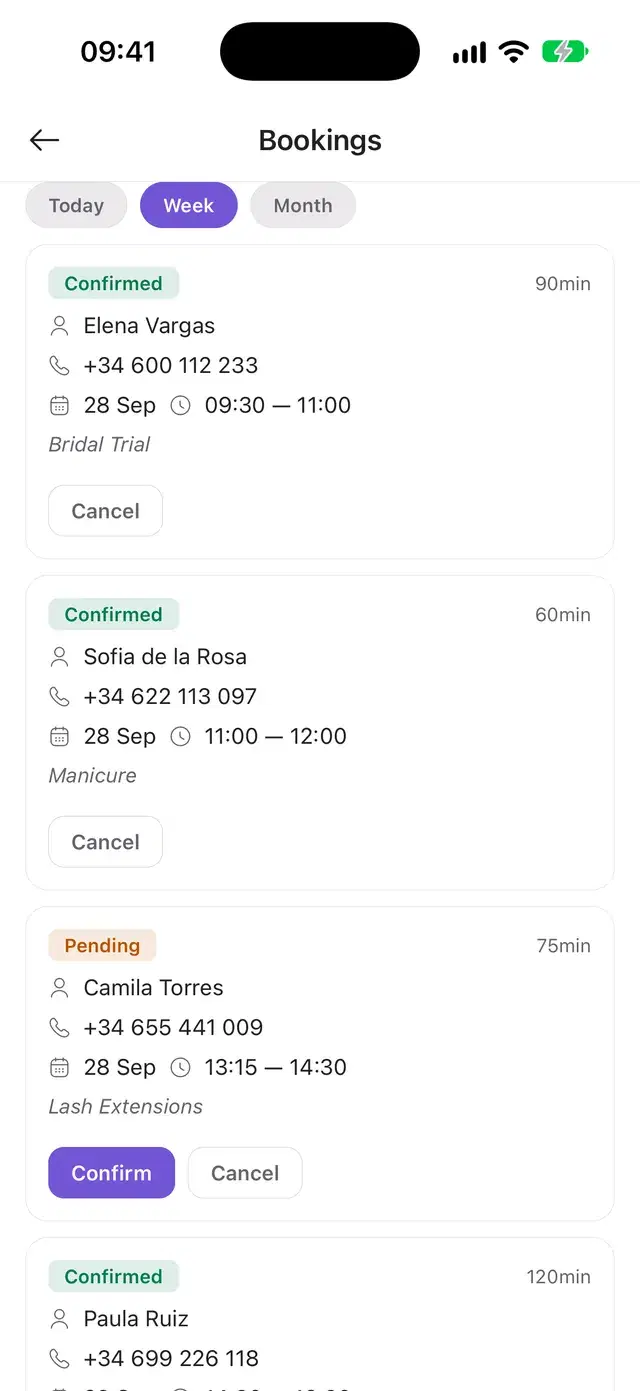
- Bookings for today, the week or the month: confirm or cancel on the spot.
- The owner enters the hourly rate, and the hours saved turn into money.
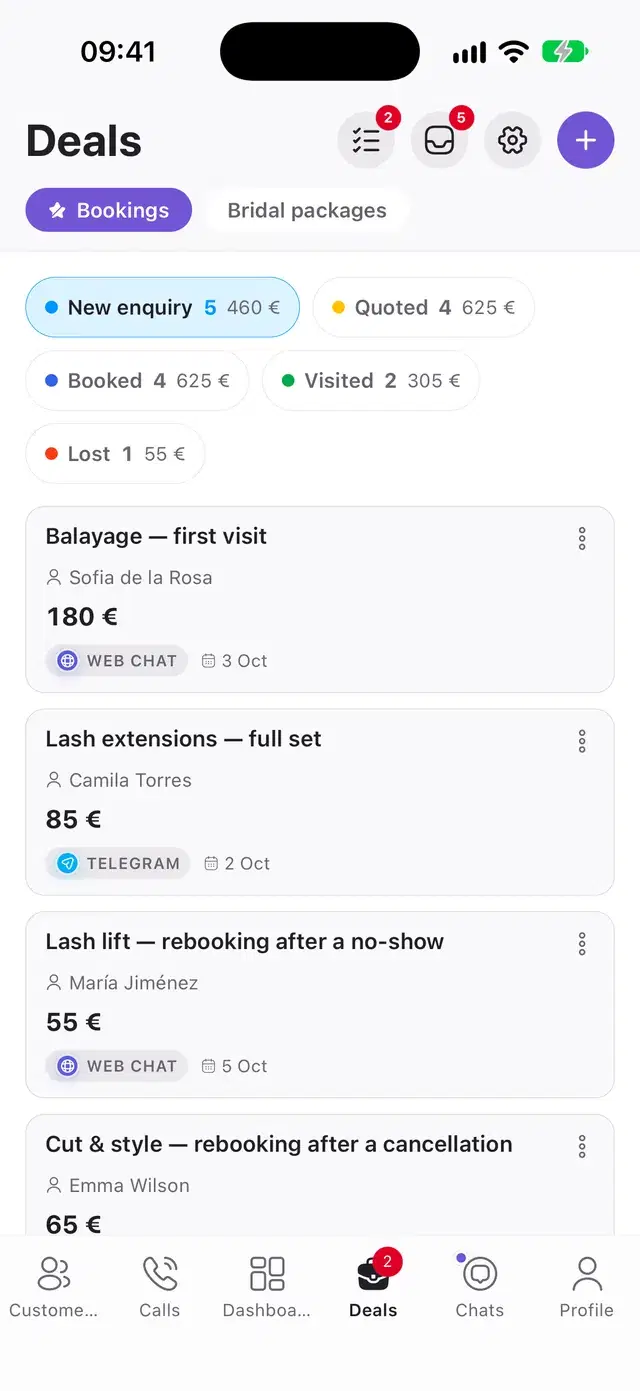
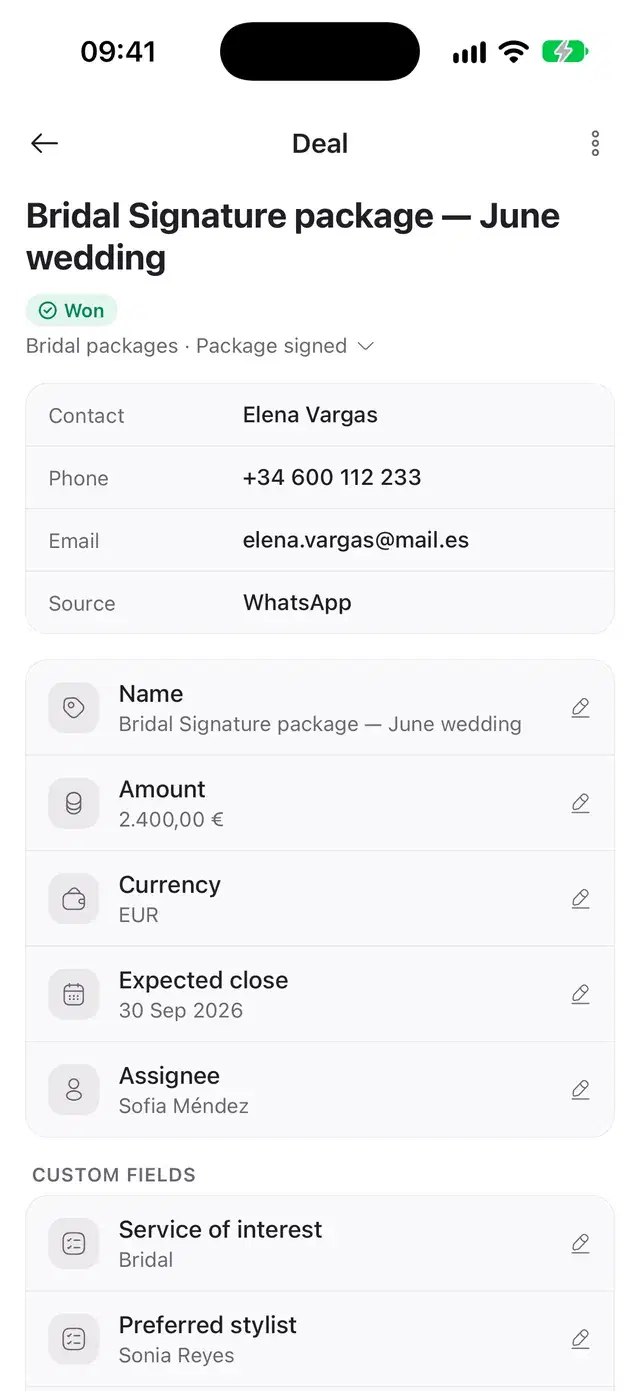
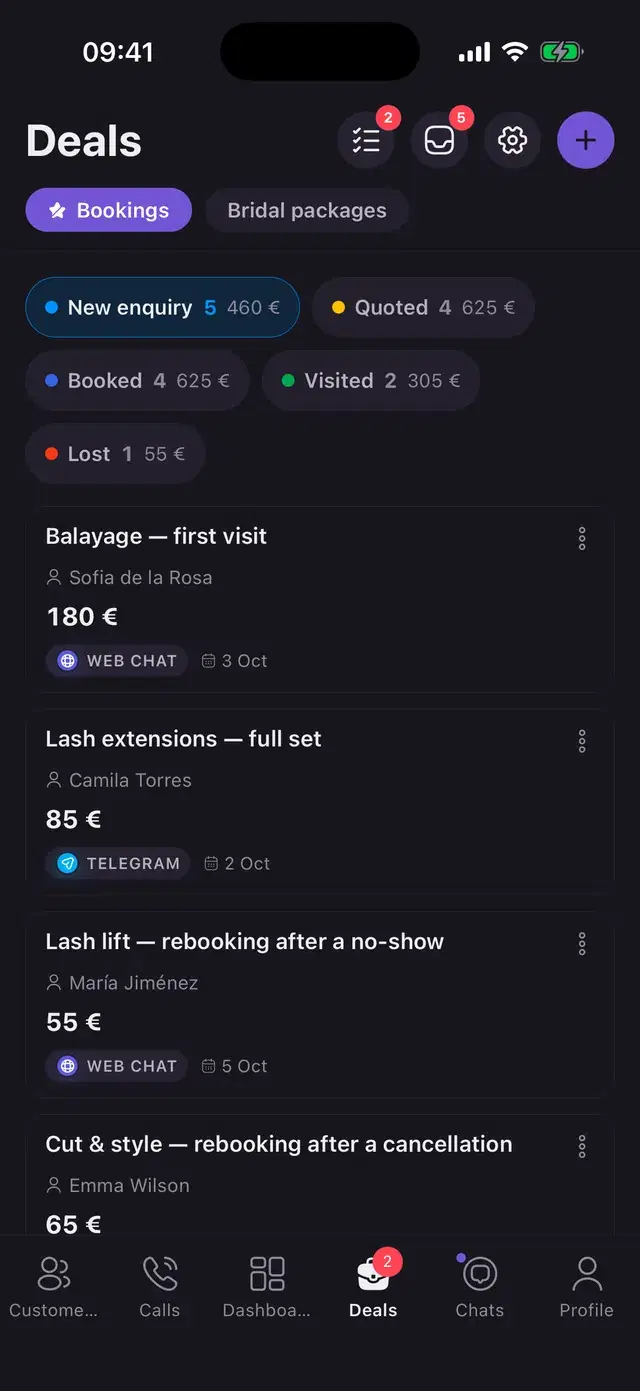
Every enquiry becomes a deal that shows the channel it came from. Rules move it through the stages: Solwees replied, the chat was handed to a person, the chat ended in a booking.
- Several pipelines with your own stages and colours.
- Unsorted leads: take one for yourself or mark it as spam.
- New deals go in turn, to the least busy person, or to whoever handled the client before.
- Tasks with a due time, a type and a reminder, yours and the team’s.
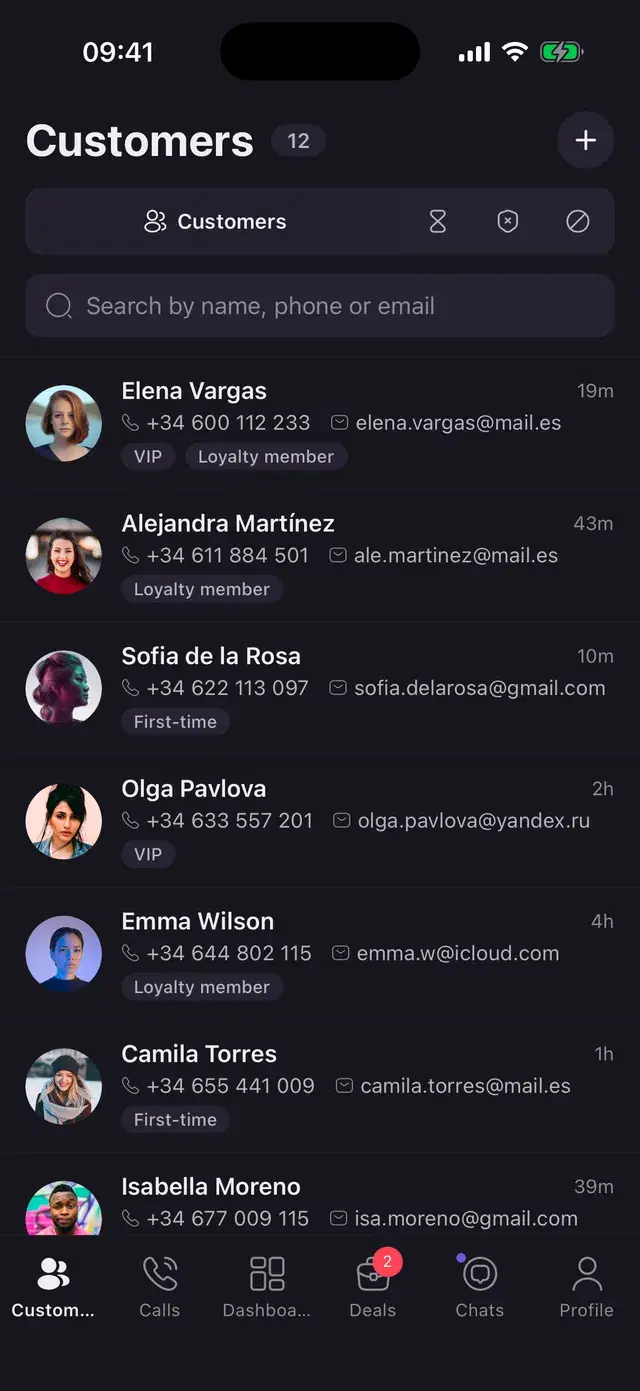
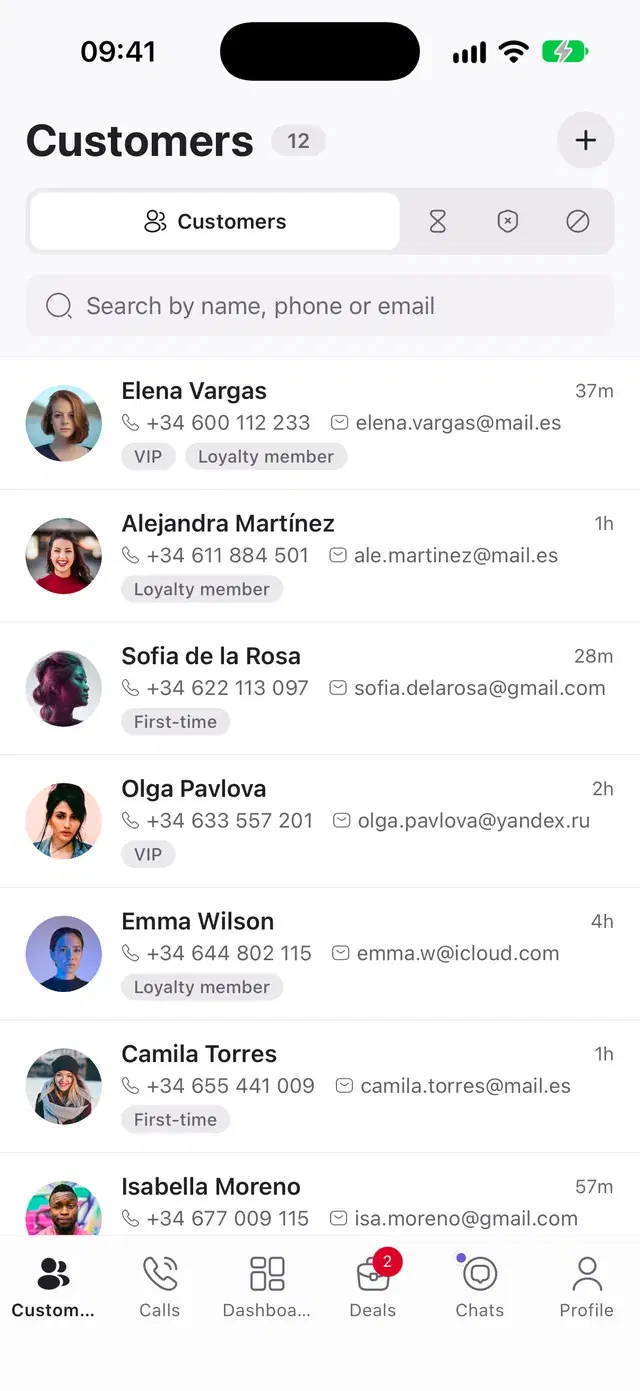
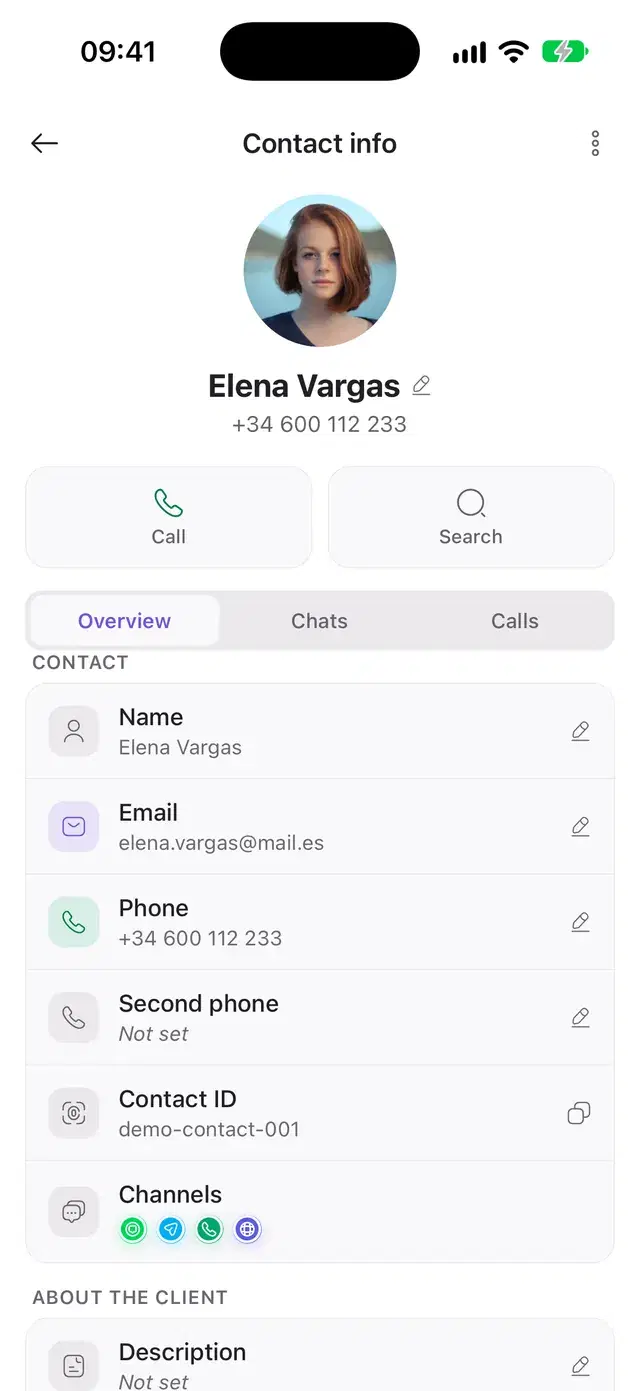
Find a client by name, phone or email. The card keeps contacts, tags, notes, visits, every chat and every call.
- Waiting list: switch on automatic offers, and when a slot opens near the time a client wanted, Solwees offers it to them.
- Blacklist and spam: Solwees does not reply to these contacts.
- Edit any field with a tap or add a client by hand.
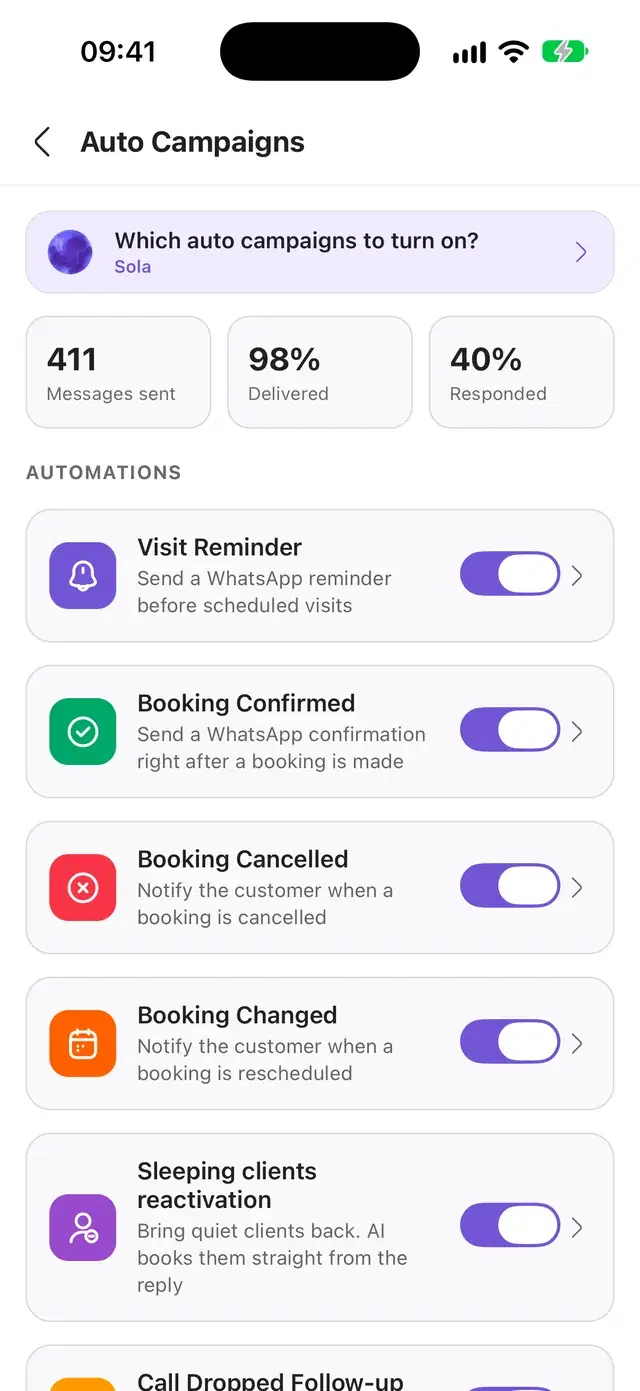
Each automatic message is a switch: a visit reminder, a booking confirmed, changed or cancelled, a nudge for clients who went quiet, a follow-up after a dropped call, a review request after the visit.
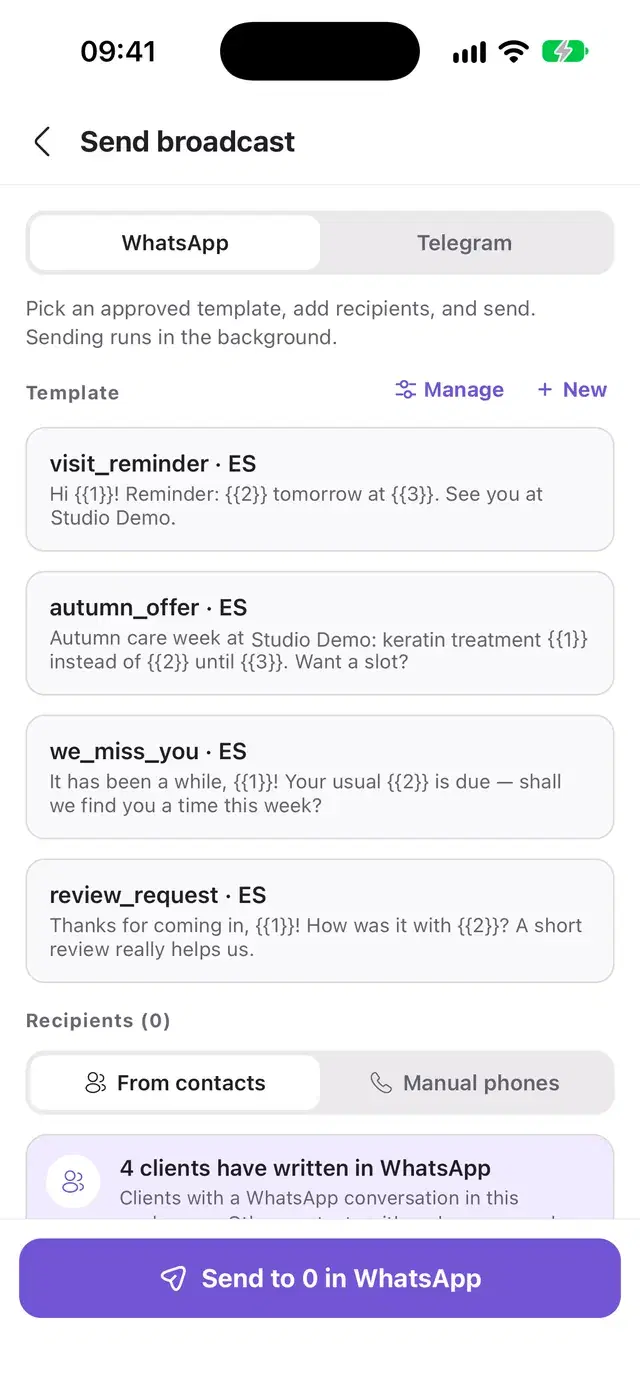
- Send an approved WhatsApp template or a Telegram message to a list of clients.
- Write a WhatsApp template and submit it for approval from the phone.
- Sent, delivered, answered: the numbers are on the same screen.
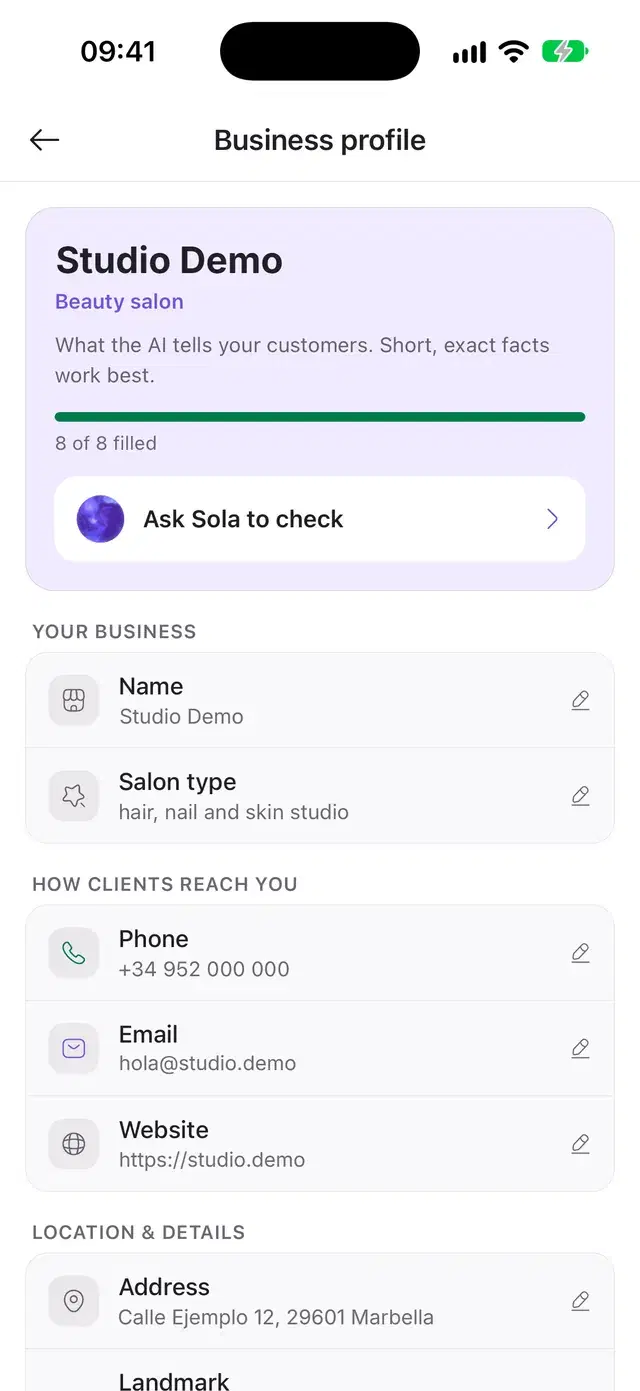
The business profile holds what Solwees tells your clients: address, hours, description, languages. Correct it on the phone and the next conversation uses the new version.
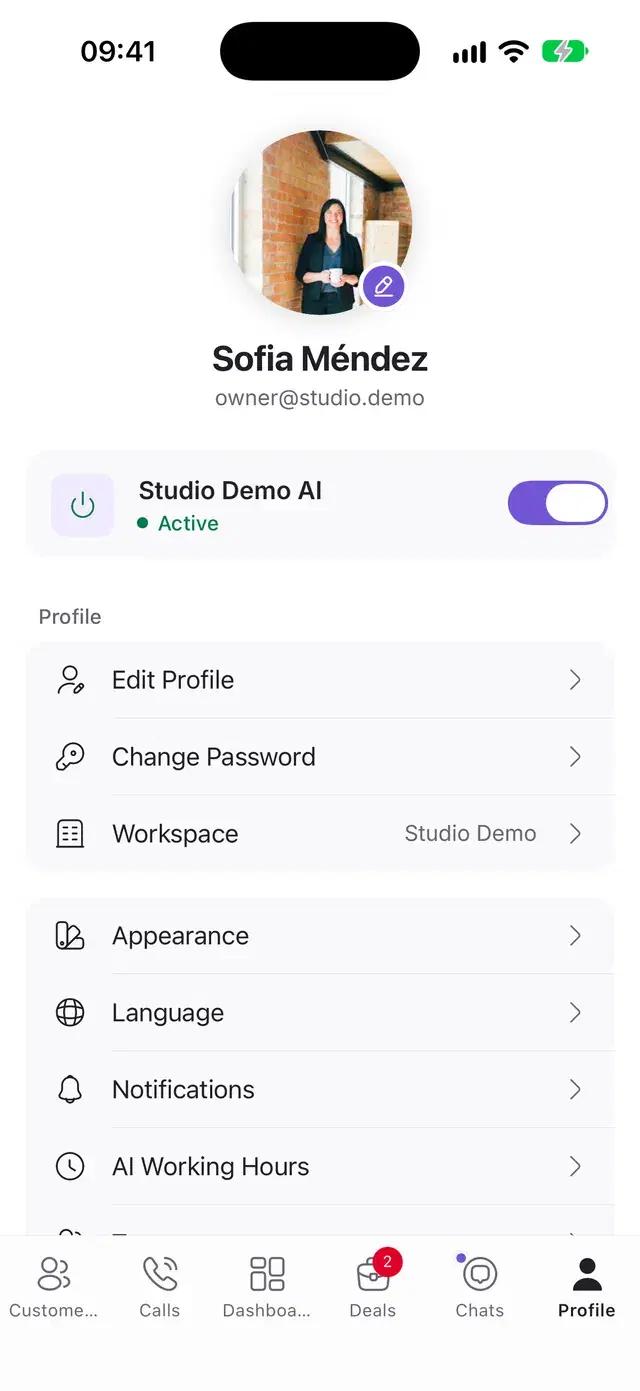
- One switch turns the assistant off and back on.
- Working hours per channel: the rest of the time the assistant stays silent.
- Reply languages: the main one and the extra ones you allow.
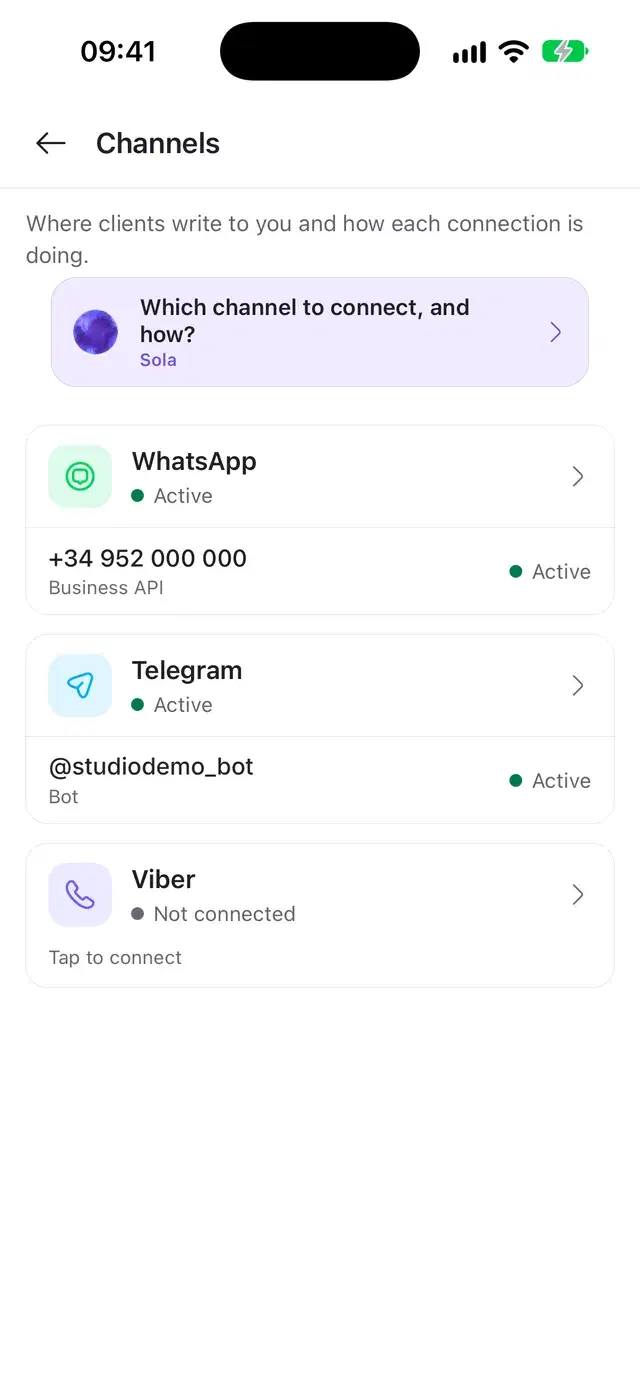
- Connect WhatsApp by QR code or a Telegram bot. Viber connects as a paid add-on.
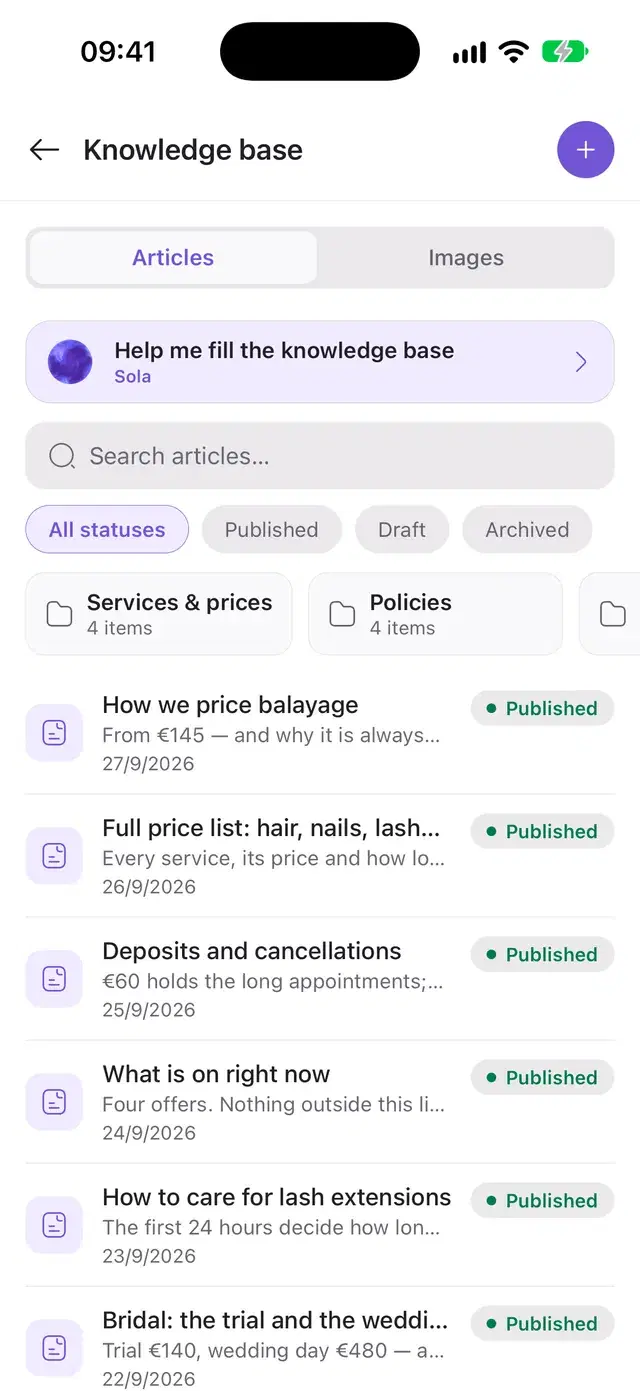
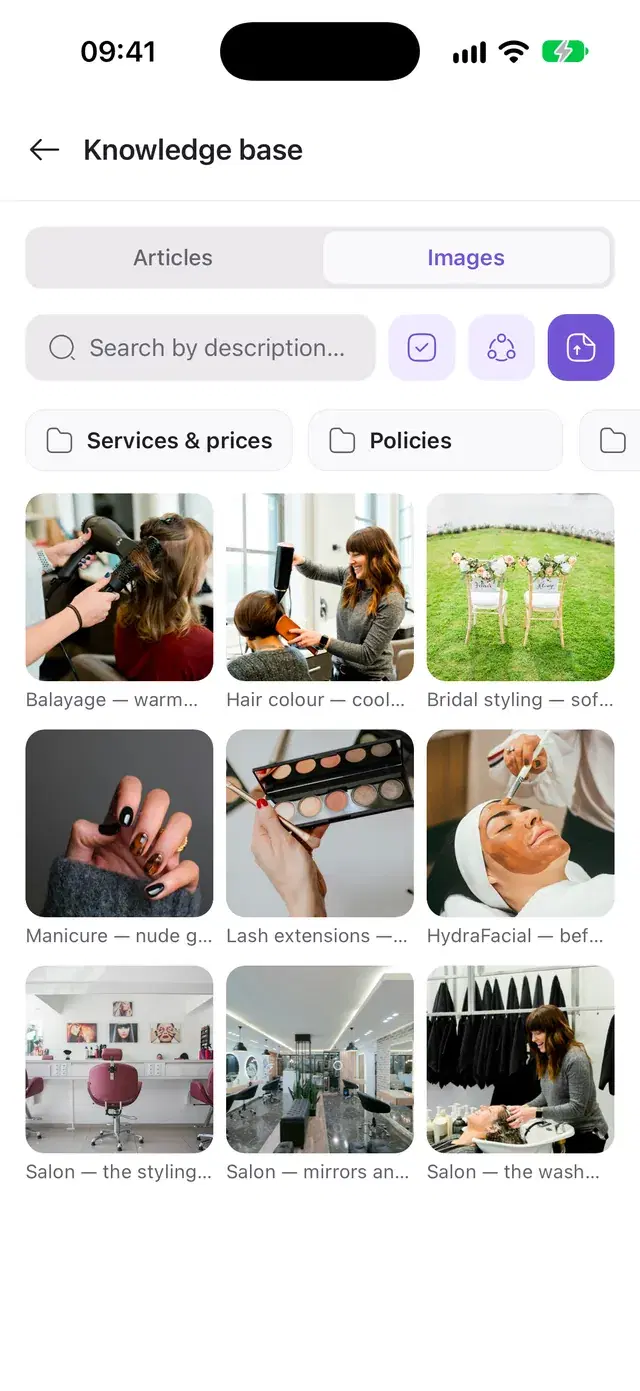
The articles the assistant answers from: price lists, policies, current offers. Add, edit, publish or archive them, and upload photos it can send to clients.
- Folders, statuses and search.
- Photos with a title and a description, shared across branches if you wish.
- Send a photo from the knowledge base yourself in any chat.
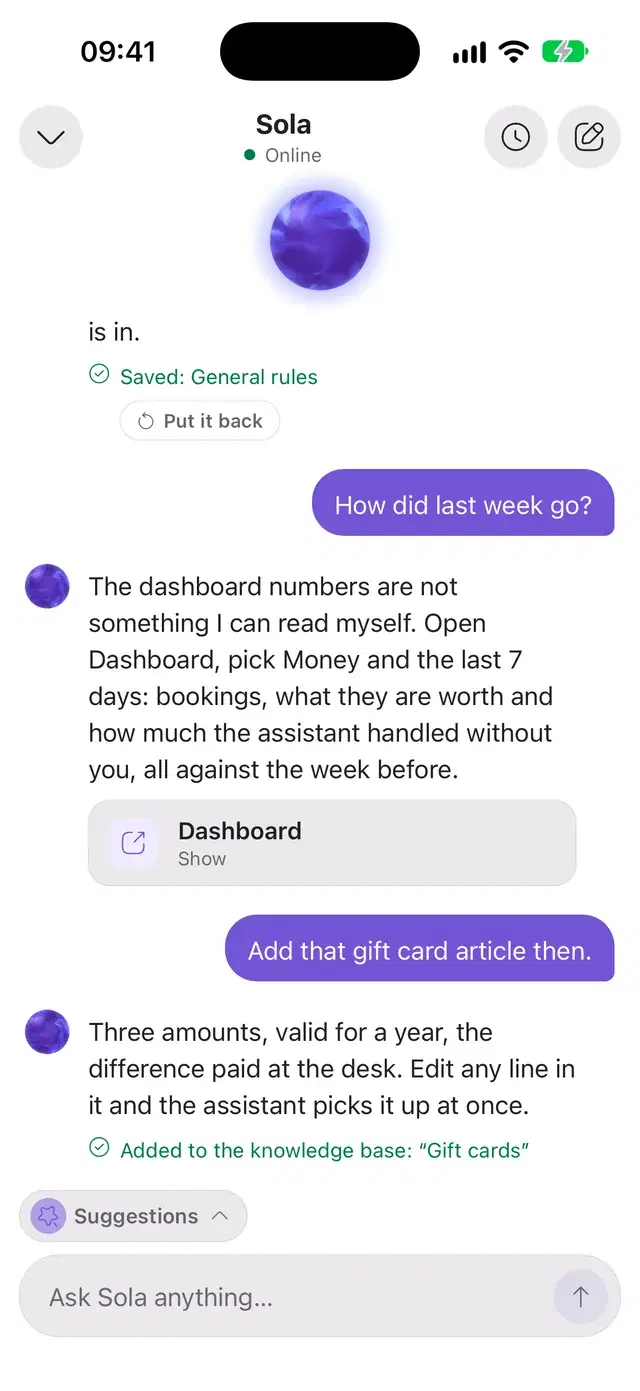
A small orb on every main screen. Ask how to set something up and Sola opens the right screen or does it herself: saves a rule for the assistant, adds an article to the knowledge base.
- She asks before saving, and a saved setting can be put back in one tap.
- She knows which screen you are on.
- The current conversation is shared with the web dashboard.
The phone buzzes only when a person is needed
Solwees handles routine questions itself. A push arrives for the rest, and you choose which ones.
What a push can be about
- A client asks for a person
- Solwees handed a chat to you
- A call for the manager was missed
- You were mentioned
- A chat was reassigned to you
- A client was added to the waiting list
- A task is due
- A sign-in from a new device
Monday, September 28
09:41
Client on the waiting list
nowOlga Pavlova: balayage, any evening this week.
Task due
2 minCall back Emma Wilson about the colour correction, due at 10:00.
Manager call missed
9 minAlejandra Martínez asked for the manager, no answer in 30 seconds.
A client needs a person
1 hElena Vargas asked to speak with a person: a complaint about colour.
Quiet hours
Choose the hours and the days. Urgent alerts, such as a client asking for a person, can still come through.
A card that stays on top
While a client waits for an operator, a card stays on top of the app: open the chat or hand it back to Solwees. A task reminder can be marked done or snoozed right there.
Telegram as a backup
Owners and admins can connect a personal Telegram chat or the team group. A message arrives there when a client needs a person or a call for the manager is missed. Task reminders come there too.
A number that means something
The badge on the icon is the count of chats waiting for an answer, across all your workspaces. On some Android phones the icon shows a dot instead of a number.
Everything in the app
The full list, section by section.
Chats
- Every channel in one list
- Filters: new, unread, who is answering, channel
- Assistant or operator, switched in each chat
- Voice messages up to 5 minutes
- Photos, video, documents, camera
- Photos from the knowledge base
- Internal notes and mentions
- Quick replies with shortcuts
- Reactions and quoted replies
- Search through the history
- Swipes: read, spam, close, reopen
- Adding a task right from a chat
- Assigning a chat to a teammate
Deals and tasks
Profile and settings
Campaigns
Dashboard
Customers
Calls
Sola
Light or dark, in five languages
The app follows your phone’s theme or keeps the one you chose. Each teammate picks their own language.
- English
- Español
- Русский
- Українська
- ქართული
Drag to compare
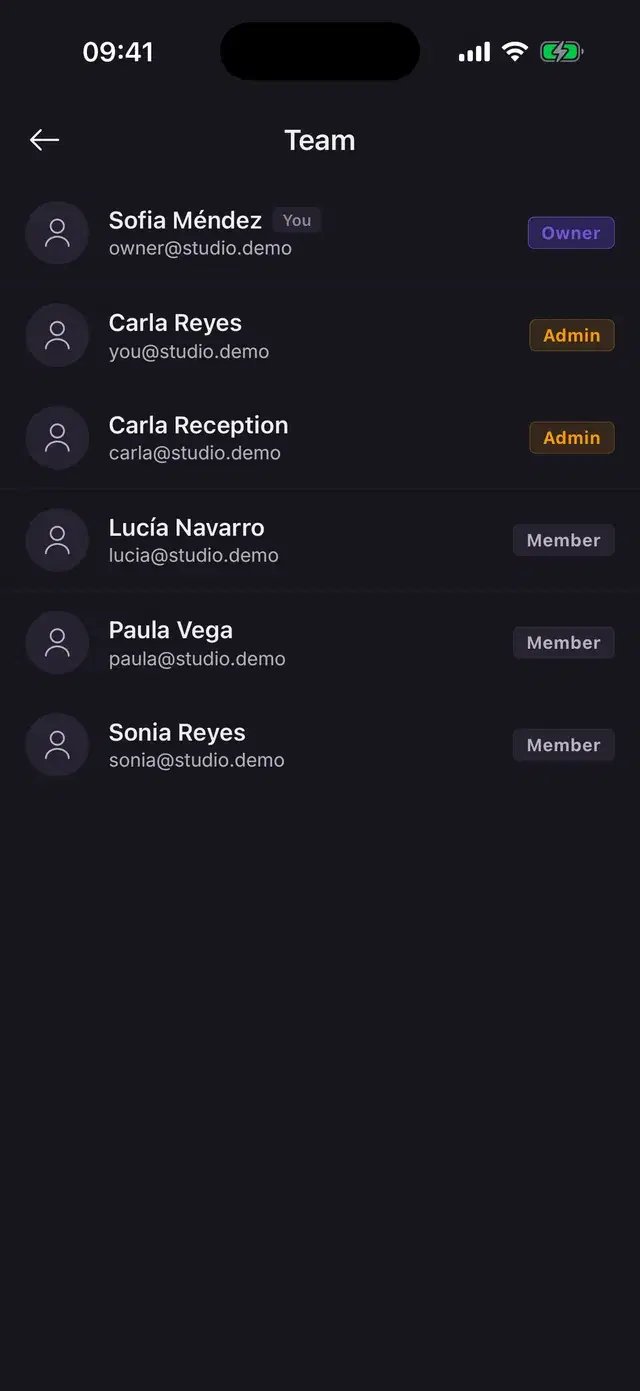
The whole team in one app, each with their own access
Roles and permissions
Owner, admin, manager, operator, viewer. The role sets the rights, and you can adjust them section by section: view or manage. You choose which workspaces a person can enter, with the same rights in each. Tabs a person cannot use are hidden.
Several branches
Switch between workspaces or open one list of chats for all of them. A new workspace can be created in the app.
People come and go
Add a teammate, choose the role and the workspaces, switch access off when someone leaves.
Two-step sign-in
If two-factor protection is on for your account, the app asks for the code from your authenticator when you sign in.
A protected session
The session is kept in the phone’s protected storage, and a sign-in from a new device sends an alert.
Links open the right screen
A link to a chat, a task, a deal or a client from the web dashboard opens the same screen in the app.
What stays on the web
The app is for the working day. A few setup jobs are done once, at a desk.
- Connecting Instagram, Messenger, the site chat, phone numbers and email
- Integrations with booking systems and CRM
- Fine settings of the assistant: wording, service triggers, extra offers
- Invoices, the card and plan changes
- Uploading files to the knowledge base
- Promotions and outbound call campaigns
- Import and export of contacts
Questions about the app
Is the app free?
Yes. The app is free in the App Store and on Google Play. It works with your Solwees account, on the free trial or on a paid plan.
Do I need a computer to start?
No. You can create an account in the app and connect WhatsApp or Telegram from the phone. Viber connects there too, as a paid add-on. Instagram, the site chat, phone numbers and integrations are connected in the web dashboard.
Which phones does it run on?
iPhone with iOS 15.1 or newer and Android 7.0 or newer. The app is made for phones and works in portrait.
Can I take a phone call in the app?
Yes. When a caller asks for a person, Solwees transfers the call and it rings in the app with the reason on screen. Calls with their transcripts and recordings are in the Calls tab.
Will I get a push for every message?
No. Solwees answers routine messages itself. A push comes when a client asks for a person, when a chat is handed or reassigned to you, when you are mentioned, when a call for the manager is missed or a task is due. Each of them can be switched off, and quiet hours mute the rest.
Can my staff use it too?
Yes. Add teammates, give each a role and open the sections they need. An operator works with chats, tasks and clients, and you can narrow that to chats only. The owner sees everything.
Put Solwees on your phone.
Free in the App Store and on Google Play. Sign in with your Solwees account or create one right in the app.
Point your phone camera at a code