
Turn WhatsApp into Your #1 Revenue Channel.
Solwees is a WhatsApp AI chatbot and AI receptionist for service businesses. It answers clients in WhatsApp around the clock and books them into your booking system.
Try for free
Stop losing money to No-Shows.
People miss emails and ignore calls. They never ignore WhatsApp. Solwees automatically sends appointment reminders 24 hours before the visit. Customers can confirm or reschedule with one tap
Reminders cut
across our pilot venues
What can an AI chatbot do in WhatsApp for a business?
An AI chatbot in WhatsApp answers clients at any hour and finishes the job in the same chat. Solwees replies from your knowledge base, checks free times in your booking system, books, moves and cancels appointments, and understands voice messages and photos. It also sends the reminder the day before a visit and broadcasts on approved templates, and calls a person when a request needs one.
Solwees is a WhatsApp AI chatbot and AI receptionist for salons, clinics, restaurants and other service businesses. It answers clients in your WhatsApp around the clock, books appointments and tables in the system you already use, sends reminders and broadcasts, and hands the chat to a person when needed.
Answers questions
Solwees answers questions about services, prices, opening hours and rules from your knowledge base and service catalogue, in the language the client writes in.
Books in the chat
Solwees checks free times in the connected booking system and creates the booking without the client leaving WhatsApp.
Moves and cancels
Solwees reschedules or cancels an existing booking after the client has confirmed the change.
Understands voice messages and photos
Solwees transcribes voice messages and reads the photos a client sends, so a spoken request gets the same answer as a typed one.
Sends reminders and broadcasts
With the Marketing module Solwees sends booking confirmations, a reminder the day before the visit and broadcasts to client groups on templates approved by WhatsApp.
Hands over to a person
When a client asks for a person or the request is outside the assistant’s rules, Solwees notifies your team, and a teammate takes the chat over by replying in the dashboard or the mobile app.
Create Meta-Approved Templates in Seconds.
No coding required. Design rich media messages with images, PDFs, and interactive buttons directly in our dashboard.
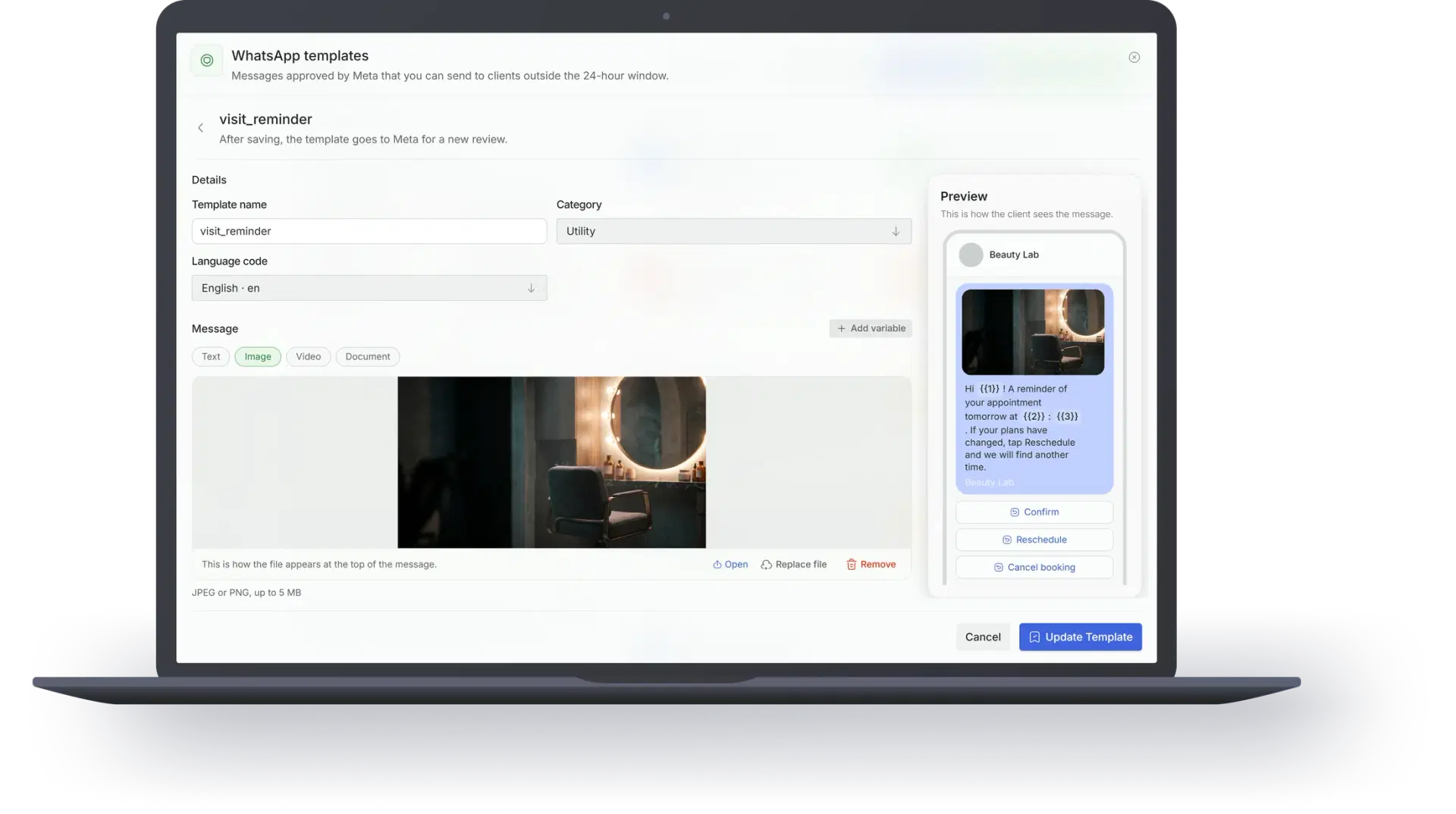
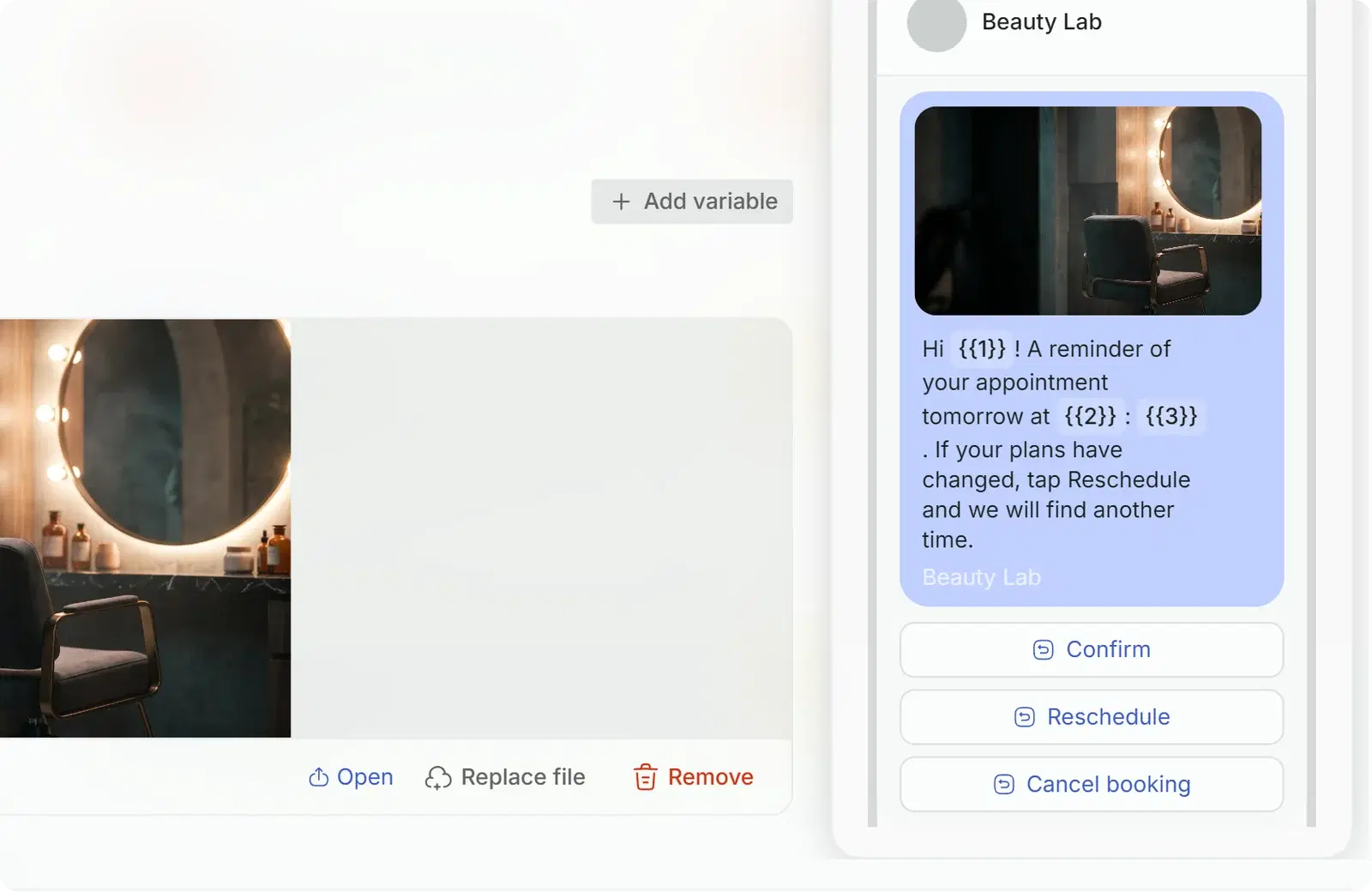

Real-time Approval
Status updates directly from Meta (Approved/Rejected)

Personal at scale
Each message auto-fills the customer's name, booking time and details. It reads personal, not like a template.

Multi-Language
Create templates for all your international clients
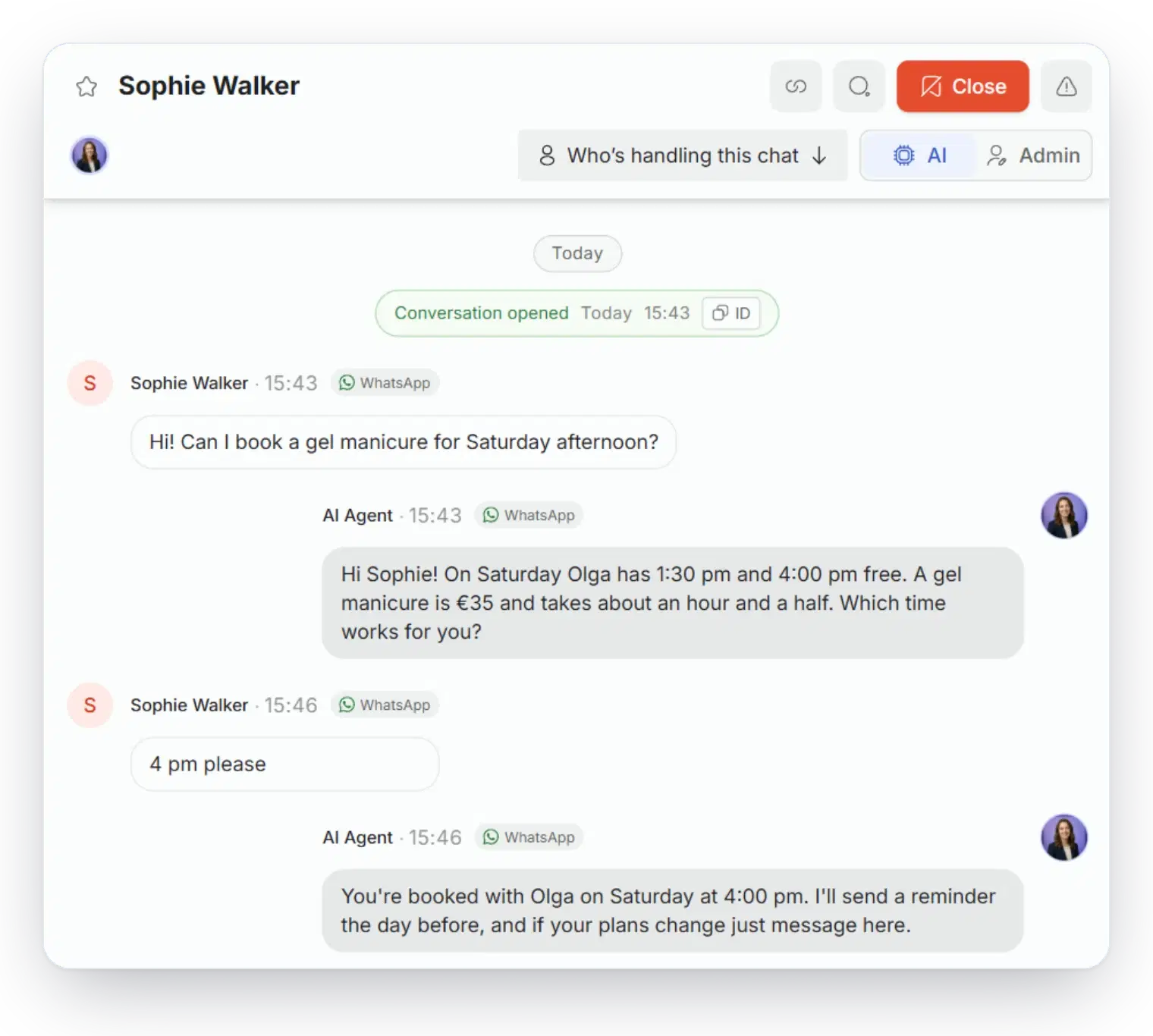
One Inbox for Your Entire Team.
Forget passing the work phone around. Manage all WhatsApp conversations from your desktop or mobile dashboard.
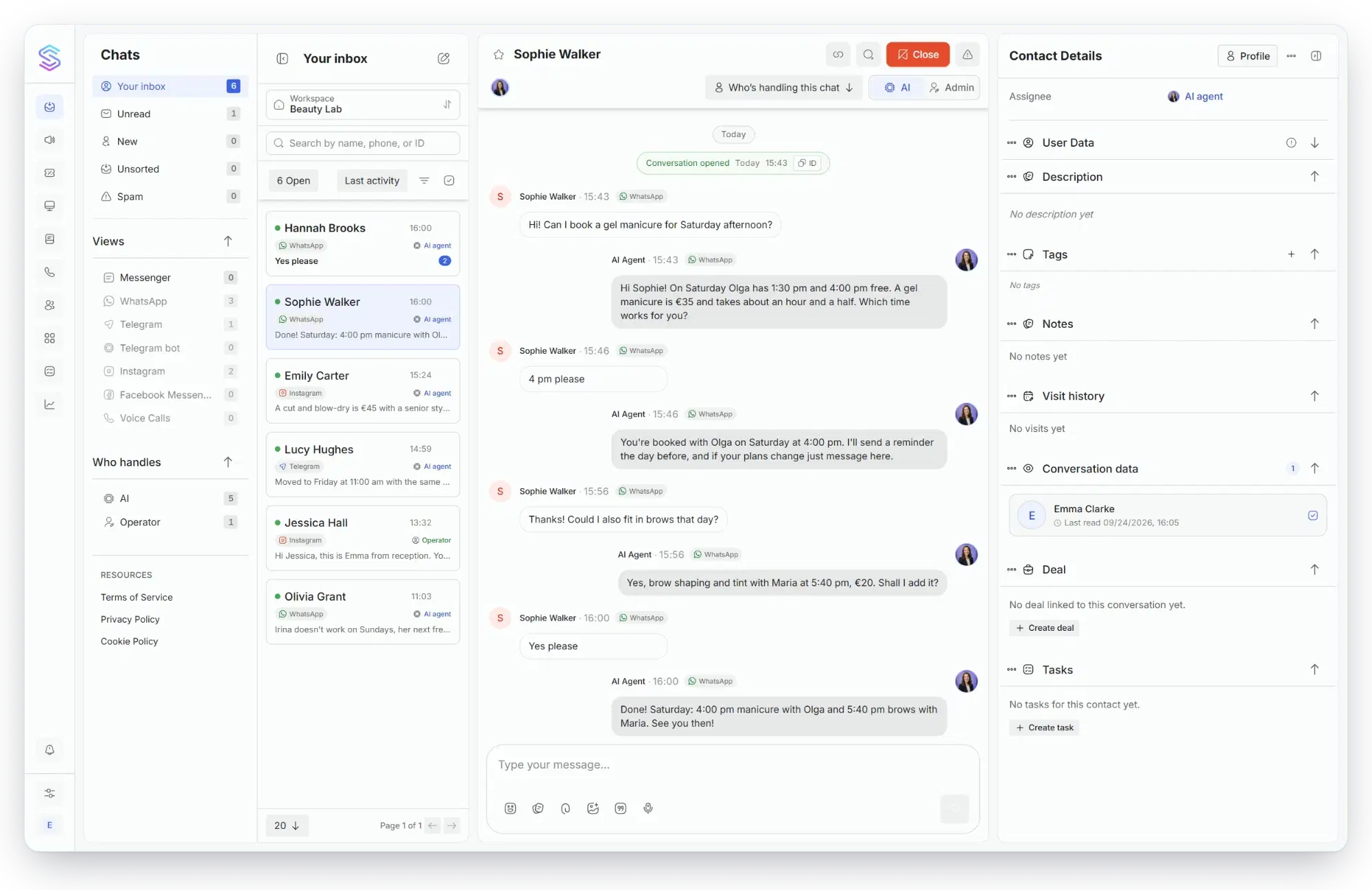
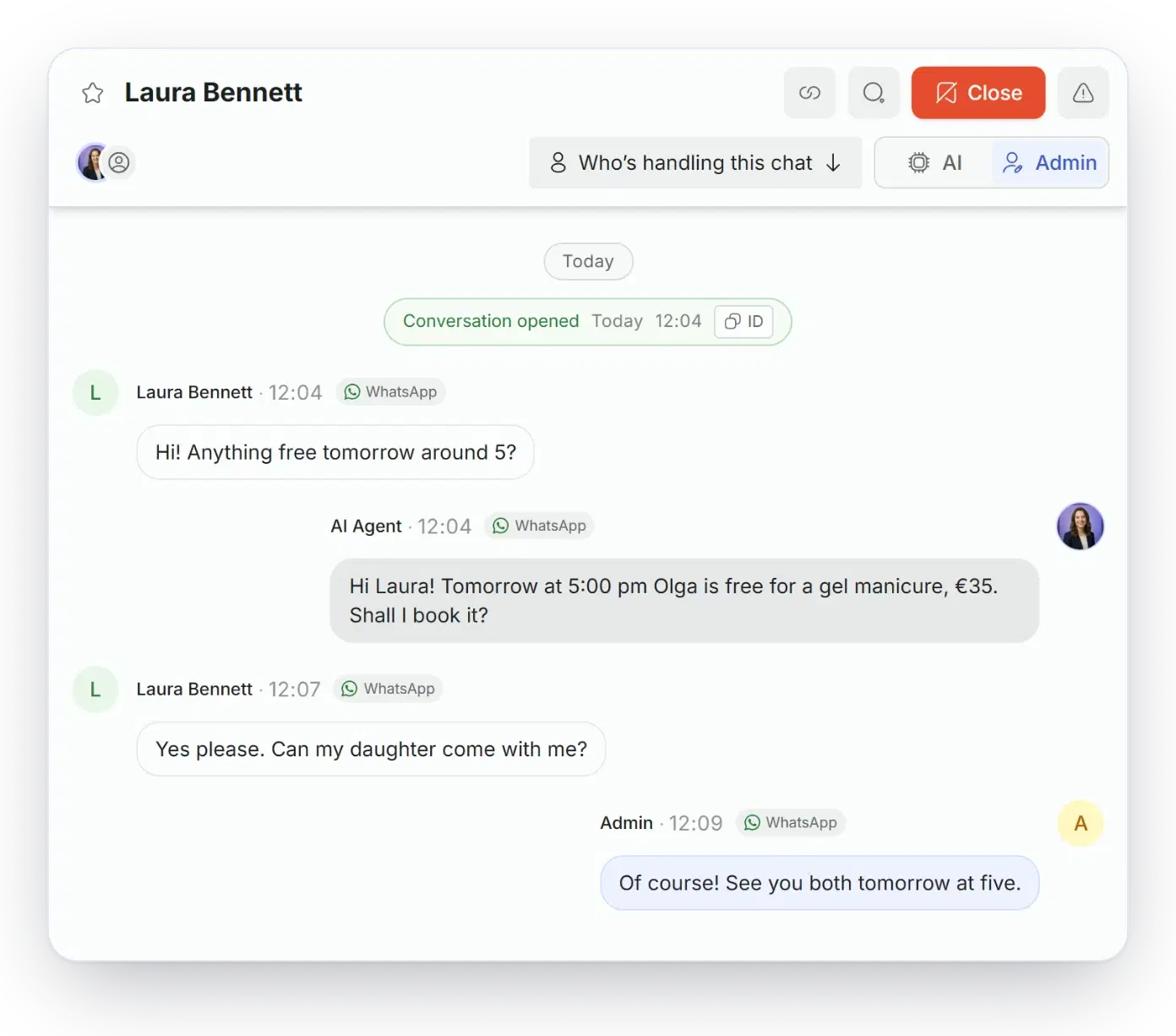
Your WhatsApp Business app stays on your phone
Connect the number you already use. You can still answer from the app whenever you like, and Solwees takes every other conversation in the same chats.
- Reply from your phone
- What you send from the app shows up in the Solwees inbox, and the agent steps back in that chat.
- Your history comes along
- With your consent, past conversations are imported, so the inbox does not start from zero.
- Nothing changes for clients
- Same number, same chats. Nothing to announce and nothing to reprint.

Instant Sync
Messages appear on your phone and dashboard simultaneously

AI Drafts
Solwees suggests answers based on your business knowledge base
Handover
AI handles routine questions humans step in for VIPs
Fill Slow Days on Demand
Have empty slots for tomorrow? Send a targeted offer to your loyal customers via WhatsApp.
🍽️ Restaurant: "Hi Mark! We have a last-minute table for two tonight at 19:00. Reply 'BOOK' to grab it with a free appetizer!"
💇♀️ Beauty Salon: "Hey Sarah! Anna has an opening for a Color & Cut tomorrow at 14:00 with 20% off. Tap below to book!"
23:45
Now your agent answers WhatsApp calls
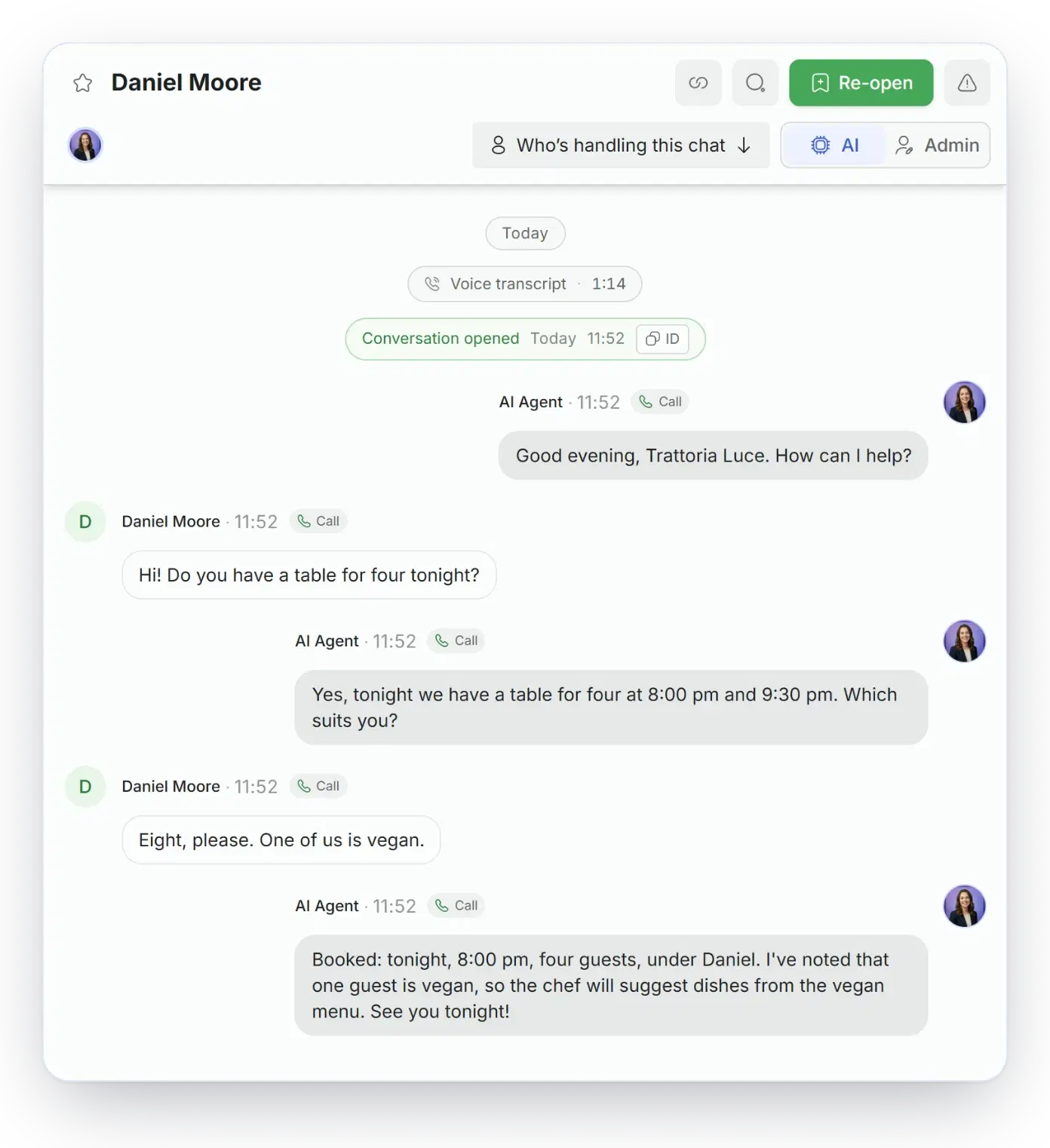
Customers do not only message. When they tap call on WhatsApp, your agent picks up and talks in real time: it takes the booking, answers questions, and writes everything to your CRM. No missed calls, no voicemail.

Answers on the first ring, day and night

Natural real-time voice in 50+ languages

Books the table and updates your CRM mid-call
Official Meta Business Partner Integration.

We use the official WhatsApp Business API (Cloud API). This means:

No risk of getting your number banned for "spamming" (unlike grey tools).
Green Tick verification eligibility.
Secure, encrypted, and GDPR ready.
Connect your existing WhatsApp Business number in 3 clicks via Embedded Signup
Don't see your CRM? We build custom integrations in 3-5 days
Questions about the WhatsApp AI chatbot
Does Solwees use the official WhatsApp Business API or the WhatsApp Business app?
Solwees connects through the official WhatsApp Business API. In coexistence mode the number also stays in your WhatsApp Business app: you can still reply from the phone, and Solwees answers the other chats on the same number. A new number has to be able to receive an SMS or a call for verification.
Who pays for WhatsApp template messages and replies?
WhatsApp bills your company directly, and Solwees adds nothing on top. On the official WhatsApp Business API WhatsApp charges for template messages, such as a first message to a client, a reminder or a broadcast, and, since October 2026, for replies above the first 1,000 a month per number. Messages from clients are free. The charges go to your company’s own Meta account at WhatsApp’s rates. Solwees sets no quota on broadcasts and does not sell messages in packs.
Can Solwees send WhatsApp broadcasts and appointment reminders?
Yes, with the Marketing module. Solwees sends a booking confirmation, a reminder the day before the visit (with reply buttons on the official API), a rating request after the visit and messages to clients who stopped coming. You switch each campaign on yourself. A broadcast goes to a client group at once or at a set hour. On the official API every text is first reviewed by WhatsApp as a template. A client who replies stop gets no more automatic messages.
Can clients book an appointment inside the WhatsApp chat?
Yes. Solwees checks free times in your booking system, offers the open slots and creates the booking in the same chat, with the service, the specialist and the time. Later the client can move or cancel it there too. The booking systems include Altegio, Booksy and Fresha for salons, and OpenTable, SevenRooms and CoverManager for restaurants. The full list is on the integrations page.
How does a person take over a chat from the chatbot?
A reply is enough. A message from the dashboard, the mobile app or, in coexistence mode, the WhatsApp Business app hands that chat to a person, and Solwees stays silent in it. If the team has not written for about an hour, the next client message goes back to the assistant; one switch returns the chat sooner. Solwees itself calls for a person when a client asks for one: the team gets a card in the inbox, a push notification and, if Telegram alerts are set up, a message there.
How much does a WhatsApp AI chatbot cost?
The assistant in WhatsApp and other chats starts with the Solo plan: €99 a month for one location, up to 400 active clients. Reminders, broadcasts and templates are in the Marketing module, €19 a month. The free trial lasts 7 days, needs no card and opens the whole platform, WhatsApp included, for up to 100 active clients. WhatsApp’s own fees, for templates and for replies above the first 1,000 a month per number, are paid separately, to WhatsApp. These are the prices as of October 2026.
Start talking to your customers where they listen
Try for freeGuides on this topic
- ComparisonWhat is the best WhatsApp AI chatbot for a small business?Seven WhatsApp AI chatbots for small businesses compared: official API or app, who pays WhatsApp, booking, shared inbox, other channels, setup and price.Read the comparison
- GuideWhat is an AI receptionist and how does it answer calls and messages?An AI receptionist answers calls and messages, books appointments and hands over to a person. How it works step by step, its limits, prices and how to choose.Read the guide