
Clients write in Telegram. Solwees answers and books.
Solwees is an AI receptionist that answers your clients in Telegram, through a bot of your own or your Telegram Business account. It understands voice messages and photos, books the visit in the system you already use and passes the chat to your team when a person is needed.
Booked: Thursday, 18:30, gel manicure with Olivia
A voice message in the evening: Solwees listens to it, finds a free time and books the visit. Nobody on the team had to answer.
Two ways to connect Telegram
A bot of your own, or your personal account with Telegram Business. Both are set up in Settings, Channels, Telegram, and the chats land in the same inbox.
A bot of your own
Create a bot in BotFather, paste its token and press Connect bot. Clients write to your bot, and Telegram Premium is not needed. The bot can have a menu of its own.
Your account with Telegram Business
The assistant answers in your personal chats, under your name. You add the Solwees bot in Telegram under Settings, Telegram Business, Chatbots. This needs Telegram Premium.
Several bots
Connect a bot for each branch or each line of the business, each with the assistant you pick for it.
You see that it works
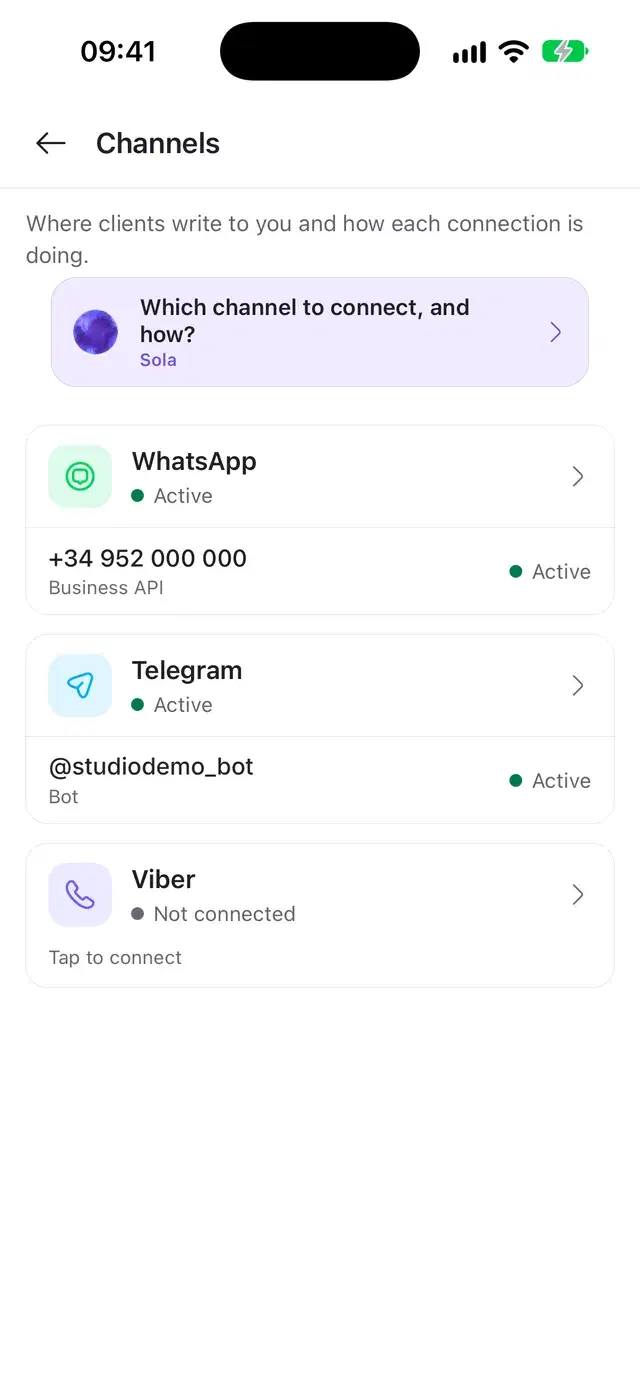
Each connection shows its state: waiting for the first message, active, or a problem with the connection.
Settings › Channels
Telegram
Bot token from BotFather
7581036412:AAH4kz9Qd2LxW1pVb3sR
Assistant
Studio Demo assistant
The status turns to Active as soon as the first client writes to the bot.
What the assistant understands in Telegram
Clients write the way they are used to: a voice message on the go, a photo of a design, a question late at night. The assistant answers each of them in the same chat.
The assistant listens to them and answers in text, as if the client had typed.
- Voice messages and round videos are turned into text
- The answer comes in the same chat
- In the inbox the team hears the message and reads its text
Studio Demobot0:12Hi, do you also do pedicures on Saturdays?08:15SolweesYes! On Saturday a pedicure is free at 11:00 and 14:30. It takes about an hour and costs €40. Shall I book one for you?08:15A photo of a design, a screenshot of a price, a document: the assistant looks at it and uses it in the answer.
- Photos and static stickers are read as pictures
- Documents up to 4 MB are read as text
- From a video the assistant sees its first frame
A client asks to move a visit: the assistant finds a new time in your booking system and changes the booking there.
- Free times come from your booking system
- The booking is moved or cancelled in that system, not only in the chat
- The supported systems are listed on the integrations page
Where you take a deposit, the assistant sends the payment link as a message of its own, and the client pays in a few taps.
- The link stands on its own, easy to find later
- It opens a secure payment page
The assistant answers in the language the client writes in. If you prefer, you keep it to the languages you choose.
- The language is taken from the client’s own message
- Up to five languages per assistant, if you want to limit them
A menu for your own bot
Your own bot can show buttons under the chat and greet every new client. Each button asks the assistant, sends a ready text, calls an administrator or opens a link.
Buttons that do something
A button can ask the assistant, send a fixed text, call an admin, open a link or open a submenu.
A greeting and commands
The welcome message for new clients and the bot’s commands are set in Bot setup.
Call an admin
One tap hands the chat to your team, and the assistant steps back.
In your own bot
Telegram shows the menu in direct chats with your bot. A Business account has no menu.
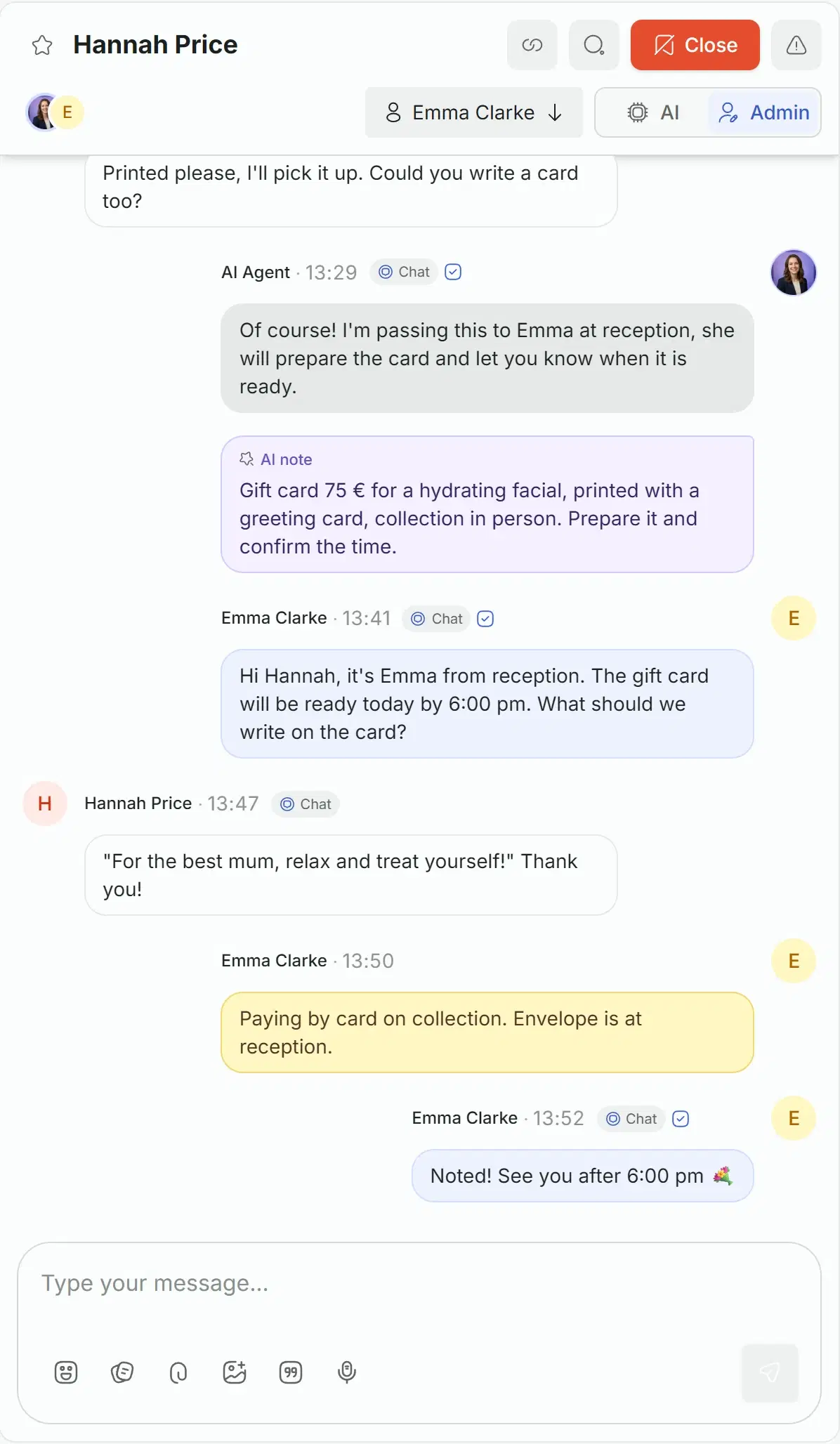
Your team answers in the same chat
Every Telegram chat is in the Solwees inbox next to WhatsApp, Instagram and calls. When a person is needed, the assistant leaves a note for the team and steps back.
Take over by typing
A teammate starts writing and the chat goes to a person. The assistant stays silent until the chat is handed back.
Reply from your own phone
With Telegram Business, the replies you send from your phone are saved as the team’s, and the assistant pauses.
Notes for the team
The assistant writes down what the client wants. Teammates leave internal notes the client never sees.
Photos, voice, documents
The team sends text, photos, video, documents and voice messages, and can edit a message after sending it.
Reminders and campaigns in Telegram
To clients who have written to you in Telegram, Solwees sends booking confirmations, reminders before the visit, win-back messages and your campaigns.
What goes out
Booking confirmed, moved or cancelled, a reminder before the visit, a message to clients who have not been back, holiday greetings, a campaign to a group.
Only to those who wrote
Telegram does not let a business write first, so the messages go to clients who have chatted with you there.
Your order of channels
Solwees picks the channel in the order you set. By default WhatsApp comes first, then Telegram.
Plain text, easy answers
A reminder lists its options as numbers, and the client answers with a number or in words.
Tuesday
Wednesday
Five weeks later
Alerts for the team in Telegram
Solwees pings your team in Telegram when a client is waiting for a person, when nobody picked up a call the assistant passed on, and when a task is due.
What comes
A client waiting for a person, with the reason. A call handoff nobody took. A task that is due. Each alert has a button that opens the chat or the task.
Where it comes
To a personal chat with the Solwees alerts bot or to your team’s group. You connect it in Settings, Notifications, with a link that works once.
Everything Telegram does in Solwees
The full list, group by group.
- A bot of your own from BotFather, by its token
- Your personal account with Telegram Business
- Several bots, each with its own assistant
- The state of each connection: waiting, active, a problem
- Set up in the web dashboard
- The assistant is picked when you connect
- The chats land in the shared inbox
Before you start
Plan
Telegram is included in every plan. Reminders and campaigns are part of Marketing: the plans are compared on the pricing page.
The client’s phone
Telegram does not share the number, so the assistant asks for it when it books.
Telegram Premium
Only the Business account needs Premium. Your own bot works without it.
Questions about Telegram
Can an AI receptionist answer clients in Telegram?
Yes. Solwees answers Telegram messages with the same assistant that works in WhatsApp, Instagram and on calls: it answers questions from your knowledge base, checks free times, and books, moves and cancels visits in your booking system. The supported booking systems are listed on the integrations page. Replies come in the language the client writes in, and every chat is saved in the shared inbox.
How do I connect Telegram to Solwees?
In two ways, in Settings, Channels, Telegram. For a bot of your own, create it in BotFather, paste its token and press Connect bot. For your Telegram Business account, pick the assistant, open the link or scan the QR code, then add the Solwees bot in Telegram under Settings, Telegram Business, Chatbots. The Business account needs Telegram Premium.
Does Solwees understand voice messages in Telegram?
Yes. Voice messages and round videos are turned into text, and the assistant answers them like any other message. It also looks at photos and static stickers and reads documents up to 4 MB.
Can Solwees send reminders and campaigns in Telegram?
Yes, to clients who have written to you there: Telegram does not let a business write first. Solwees sends booking confirmations, reminders before the visit, win-back messages, holiday greetings and campaigns as plain text, with no template approval. These messages are part of Marketing; the plans are compared on the pricing page.
Can my team reply in the same Telegram chat?
Yes. A teammate opens the chat in the dashboard or the mobile app and starts typing: the assistant stays silent there until the chat is handed back. The team sends text, voice messages, photos, video and documents. Alerts can come to Telegram too, in a personal chat with the Solwees bot or in your team’s group.
Can my Telegram bot have a menu?
Yes, your own bot. In Bot setup you add buttons that ask the assistant, send a fixed text, call an admin, open a link or open a submenu, and set a welcome message and commands. A Business account has no menu.
Let Solwees take the next Telegram message
Connect your bot or your Business account, pick the assistant, and the next client who writes gets an answer right away.