
A sales assistant: from first question to order request.
Solwees answers in your messengers and website chat from your knowledge base, helps people choose, shows photos, sends files in messengers and collects the request. When a person is needed, it alerts a manager and sends a short summary of the request.
Website chat
Studio Demo salon
Hi! I’d like to give my mum a gift card for a facial. How much is it?
Hello! The hydrating facial is €75. Shall I show you the room where we do it?
Yes, please.

Here is our treatment room. The gift card can be emailed or printed in an envelope. Which do you prefer?
Printed, I’ll pick it up. Could you write a greeting card too?
Of course. May I have your name and phone number so Emma can let you know?
Hannah Price, +34 612 300 871
Thank you, Hannah! I’m passing the order to Emma at reception: she will prepare the gift card and the greeting card and call you.
Emma got an alert with a summary of the order
A website chat of the salon Studio Demo, a made-up example. The price comes from the knowledge base, the photo from the uploaded ones, and reception prepares the gift card and phones the client.
What it does in a conversation
In the dashboard this role is called “Product & service sales”. Its job is to bring the chat to a request without promising anything you do not offer.
For any question about a product or a service the assistant first looks in the knowledge base: the price, what is included, timing, terms. It says exactly what is written there.
- Write articles in the dashboard, upload PDF, DOCX or TXT files, or connect a Google Sheet or a Google Doc.
- If the answer is not there, it says it will check and alerts a manager.
- It gives only the links that are in the knowledge base and never makes one up.
Knowledge base article
Hydrating facial: €75
Knowledge base article
Gift cards: by email or printed in an envelope
How much is a facial as a gift?
The hydrating facial is €75. Shall I arrange a gift card, by email or printed in an envelope?
First it asks what the answer depends on, one question per message. Then it offers a few options that fit and explains the difference in a line.
- You can set your own qualifying questions for each product or service.
- If the exact item does not exist, it says so and offers the closest things you do have.
- It never asks the same question twice and does not turn the chat into a form.
When a client asks to see something or hesitates, the assistant attaches photos from the ones you uploaded. In messengers it sends a price list, a programme or the terms as a file.
- Photos are uploaded to the knowledge base, files to the business profile, in the “Files to send” section. You describe each file, and the assistant picks the right one by that description.
- Files to send are accepted as PDF.
- It attaches up to two photos to a message, one in Viber and Bitrix24. If there is no fitting photo or file, it says so.
You decide what to find out from the client: name, phone, date, quantity or your own fields. The assistant asks one thing at a time, as the chat goes. The answers stay in the chat and go into the summary for the manager.
- Fields can be required or optional, and each can have its own question.
- It does not ask for a phone number when the client writes from that number, for example in WhatsApp.
- In “Order request” mode it repeats the request to the client and hands it to a manager. It never says “confirmed”: a person confirms the order.
You set the manner: a sales mode from soft consultation to active, the tone, key selling points and your own rules, one per line.
- Your rules are mandatory for the assistant. The only things they do not override are the built-in bans, such as the ban on making up prices.
- A rule like “with a gift card, offer a greeting card” is carried out at a fitting moment of the chat, without pushing.
- The assistant’s name, the gender it speaks in and a greeting for each language are set here too.
Setup: a knowledge base and one form
Nothing to program. Everything the assistant knows sits in the knowledge base, and how it behaves is set in the business profile.
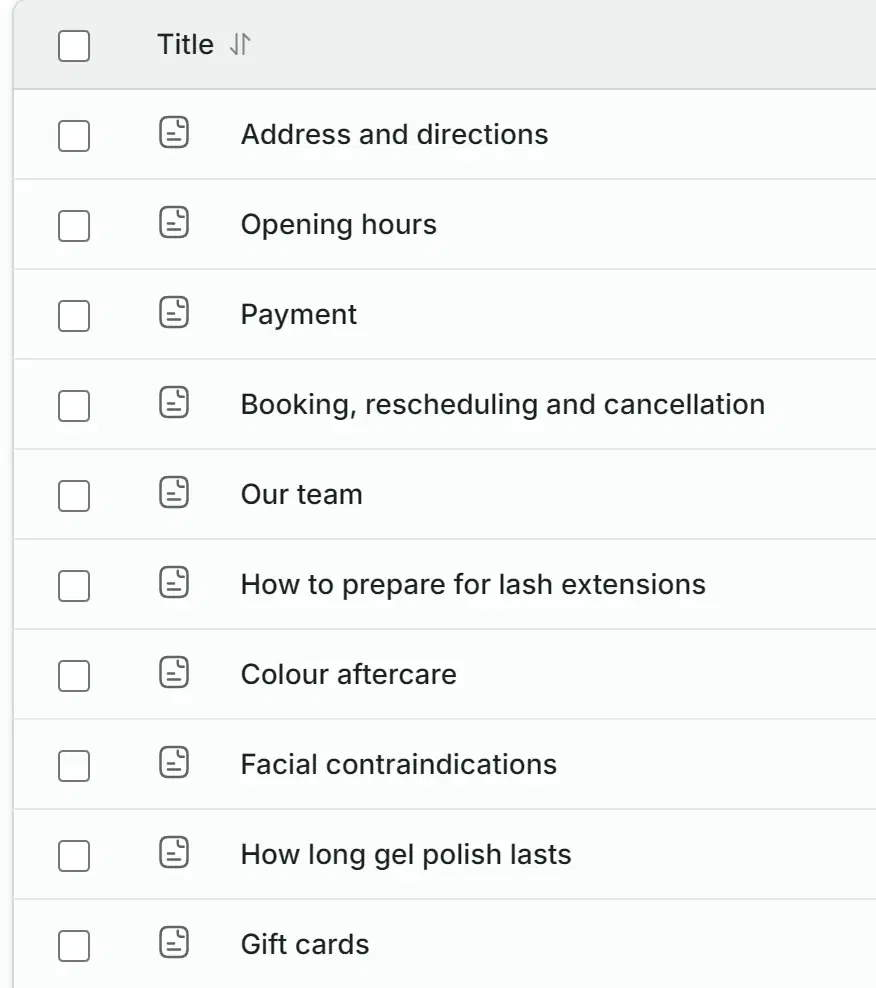
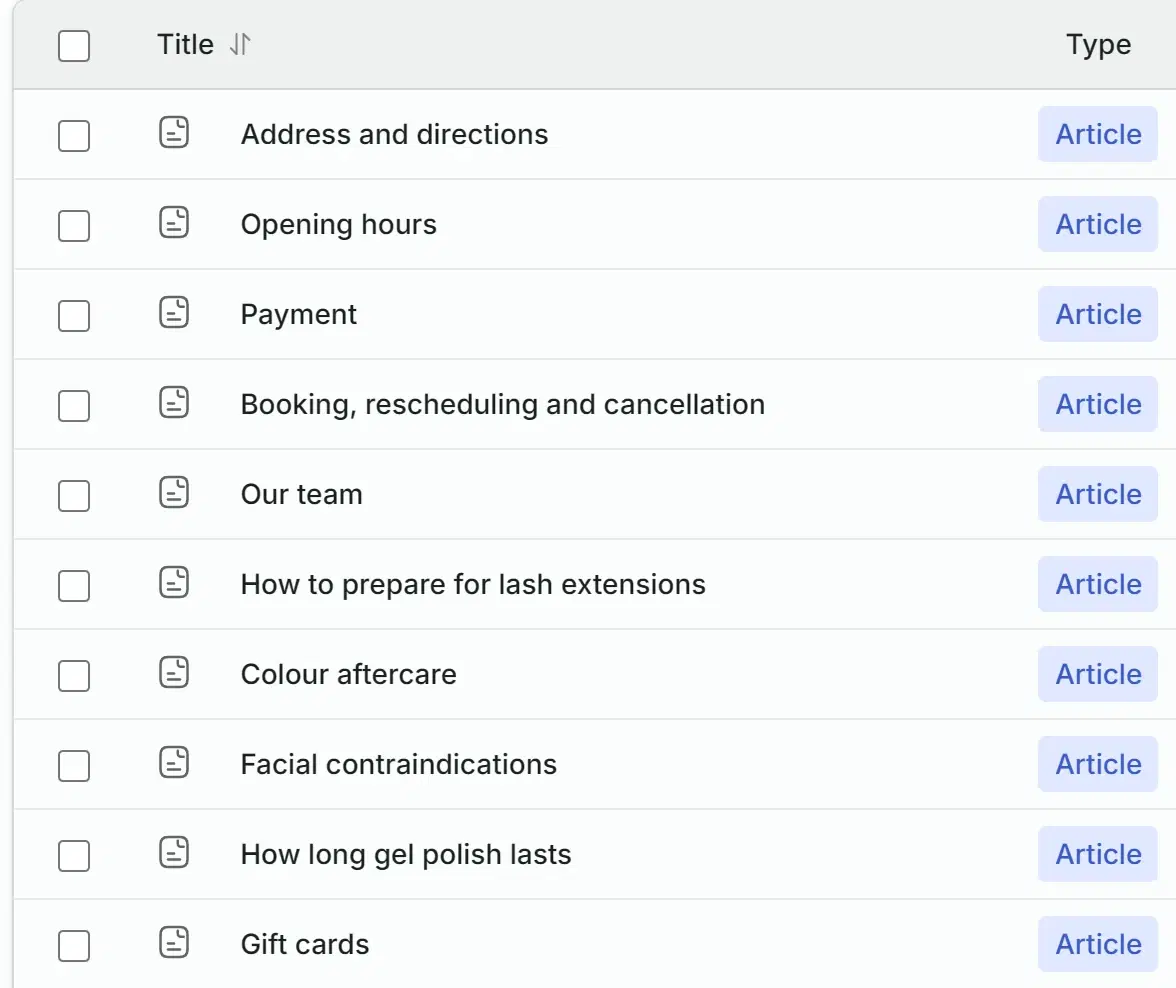
The knowledge base of the salon Studio Demo. The assistant quotes the article “Gift cards” in the conversation above.
Business ProfileProduct & service sales
- Business
- Persona & language
- Sales
- Files to send
- Lead & conversion
- Custom rules
- Lead reactivation
- 1Fill the knowledge base: products and services with prices, terms, answers to frequent questions, photos.
- 2Choose the role “Product & service sales” and fill in the form: what you sell, which details to collect, when to call a manager.
- 3Connect your channels and, if you have one, your CRM. Check the answers in the test chat without leaving the dashboard.
Every chat lands in your deals
Solwees works on top of the CRM you already have. If you have none, deals are kept in Solwees’s own pipeline.
- Bitrix24
 amoCRM / Kommo
- Solwees CRM
- New requests
- Consultation
- Finding a timeHannah PriceWeb chat
- Paid
Emma called Hannah and moved the deal on
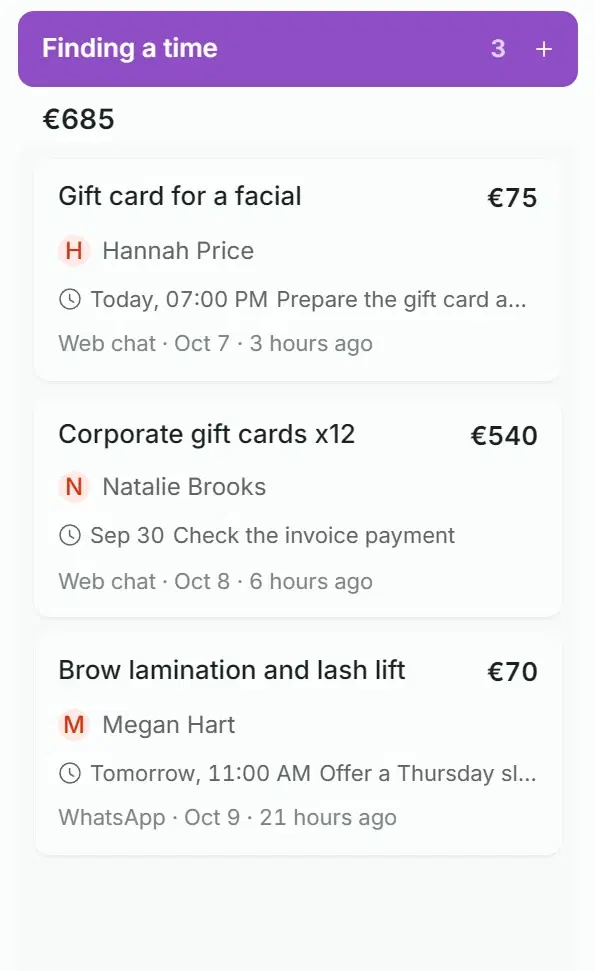
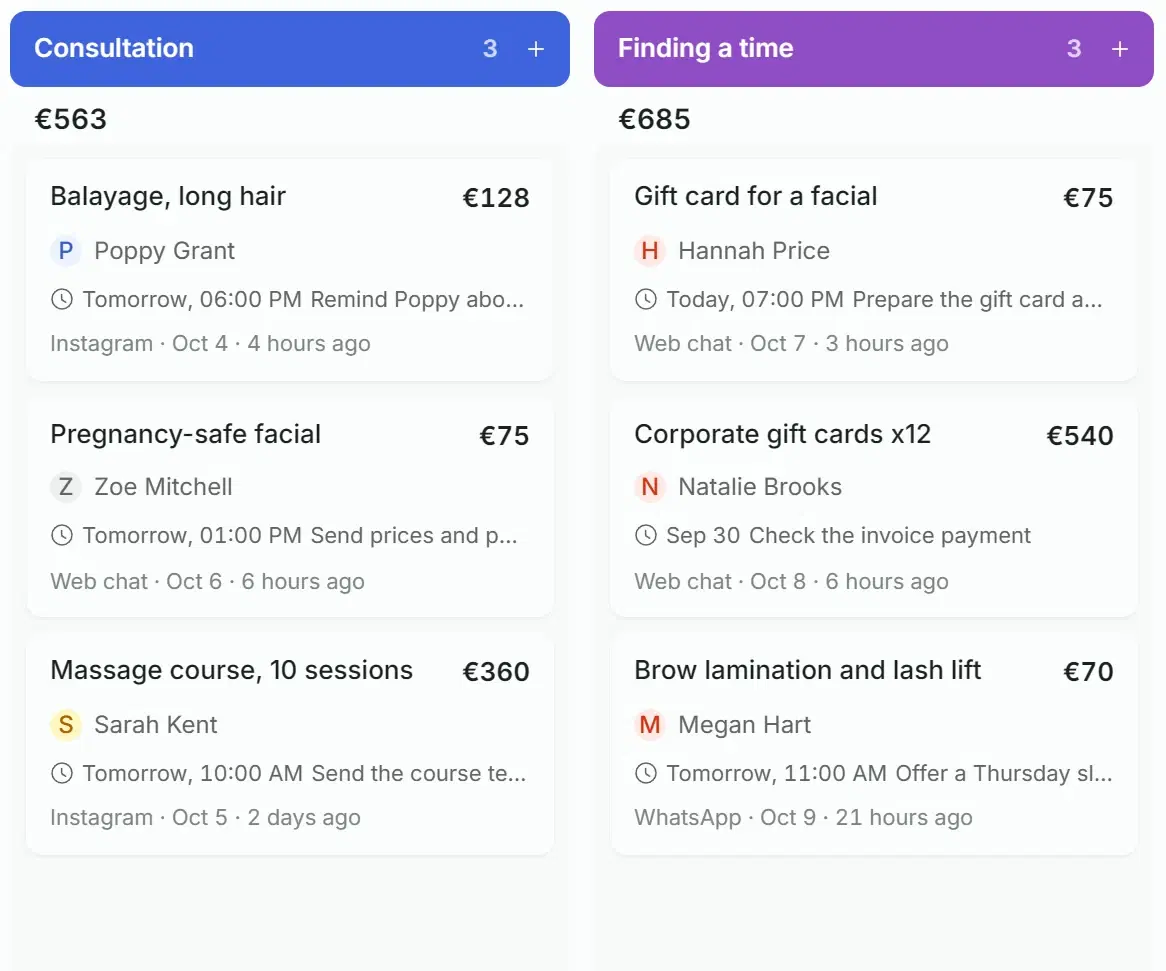
The same deal on the board after Emma filled in the name and the amount.
- Connect the built-in Solwees CRM and create a pipeline: a deal will open by itself after the client’s first message.
- Stages move by your rules: when the assistant replies, when a manager writes to the client, or when the chat is closed with an outcome.
- In Bitrix24 the chat goes into an Open Channel, and the deal or lead moves through the stages you assigned to events, for example on a handover to a manager. In amoCRM and Kommo the assistant opens a lead in the pipeline and at the stage you chose.
- To the amoCRM or Kommo lead it adds what it learned: the name and phone, the budget when the client names it and, where the lead has such fields, the interest, date, language and channel. The conversation goes into the lead’s notes.
- On a handover to a manager, a short summary with the contact details and the reason is left in the Bitrix24 deal or in the notes of the amoCRM or Kommo lead. With the built-in CRM the summary arrives in the alert.
Calls in a person when one is needed
Payment, a refund, a complaint, an unusual order or a plain request for a manager: the assistant does not stall. It alerts a member of staff and tells them what it is about.
Hannah Price, +34 612 300 871
Thank you, Hannah! I’m passing the order to Emma at reception: she will prepare the gift card and the greeting card and call you.
A client needs a person
Gift card for a hydrating facial, €75, printed in an envelope with a greeting card, collection in person. Prepare it and call when it is ready.
Hannah Price · +34 612 300 871Web chat
The alert arrived in the dashboard, the app and Telegram
What is left for a person
Staff add a task to the deal with a due time and a reminder. The whole team sees it.
Prepare the gift card and greeting card
Gift card for a facialToday, 7:00 PMRemind 15 min before
- You list the reasons for a handover yourself. Until you do, the standard list applies: payment, refunds and rescheduling, complex or unusual requests, anything missing from the knowledge base, and a request for a human.
- Staff get an alert in the dashboard and a push notification in the mobile app, and in Telegram once you connect it: who is writing and a short summary of the request.
- One request means one alert, not a new one for every message the client sends.
- Before a question goes to a person, the assistant searches the knowledge base once more.
- By default the assistant stays in the chat until a person joins. You can switch on “Go silent after manager handoff”.
- It can require a name and a phone number before the handover, even when the client asks for a manager straight away.
- A promise to “check and come back” also goes to a manager, so the client is not left waiting for an answer nobody knows about.
- In messengers a teammate takes the chat by simply replying in it. Pause, resume and ignore phrases work for messages that arrive inside the chat thread.
Staff reply in the same chat
In messengers a teammate answers in the same chat, and the conversation moves to them.
A large order with a deposit
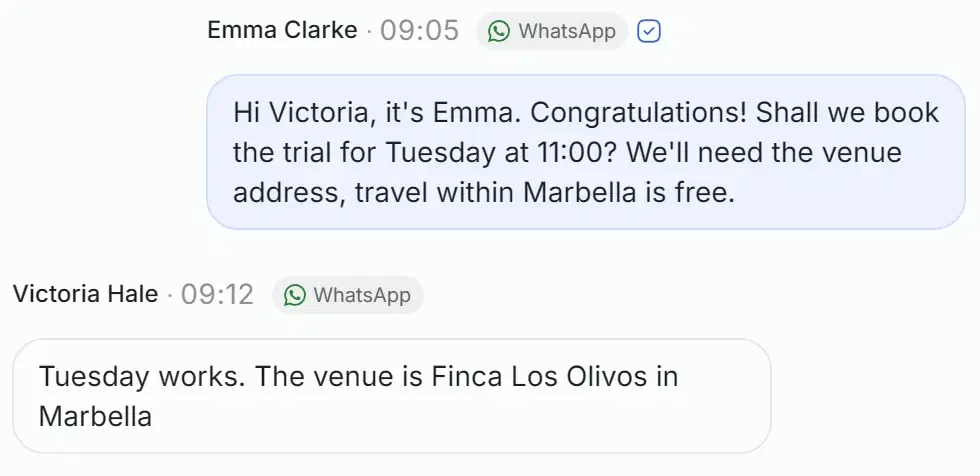
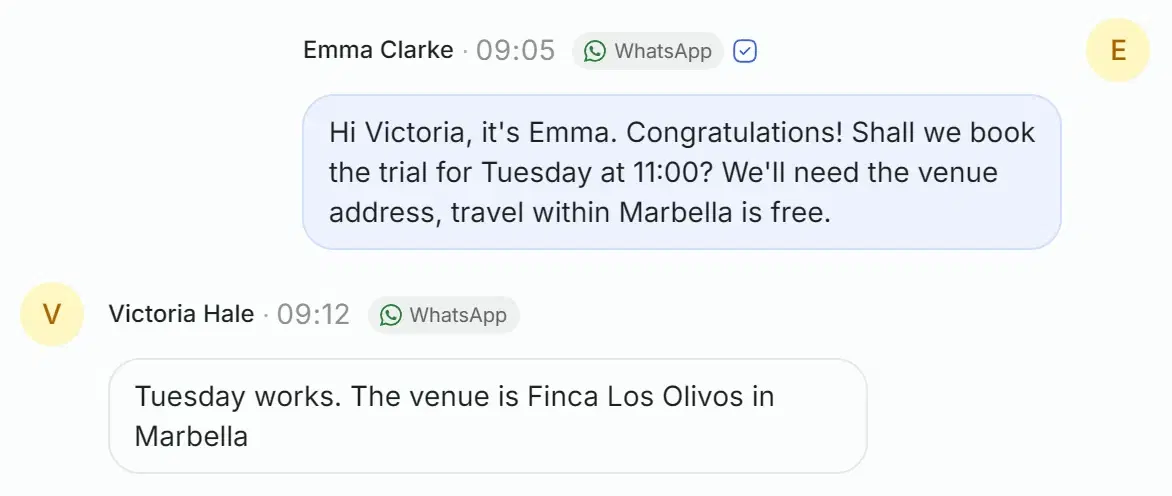
The assistant gave the price from the knowledge base and left the date, travel and the deposit to reception.
A client needs a person
Wedding on 18 October, ceremony at 3 pm: bride and three bridesmaids, €450. Arrange the trial, travel and the deposit.
Victoria HaleWhatsApp
A complaint
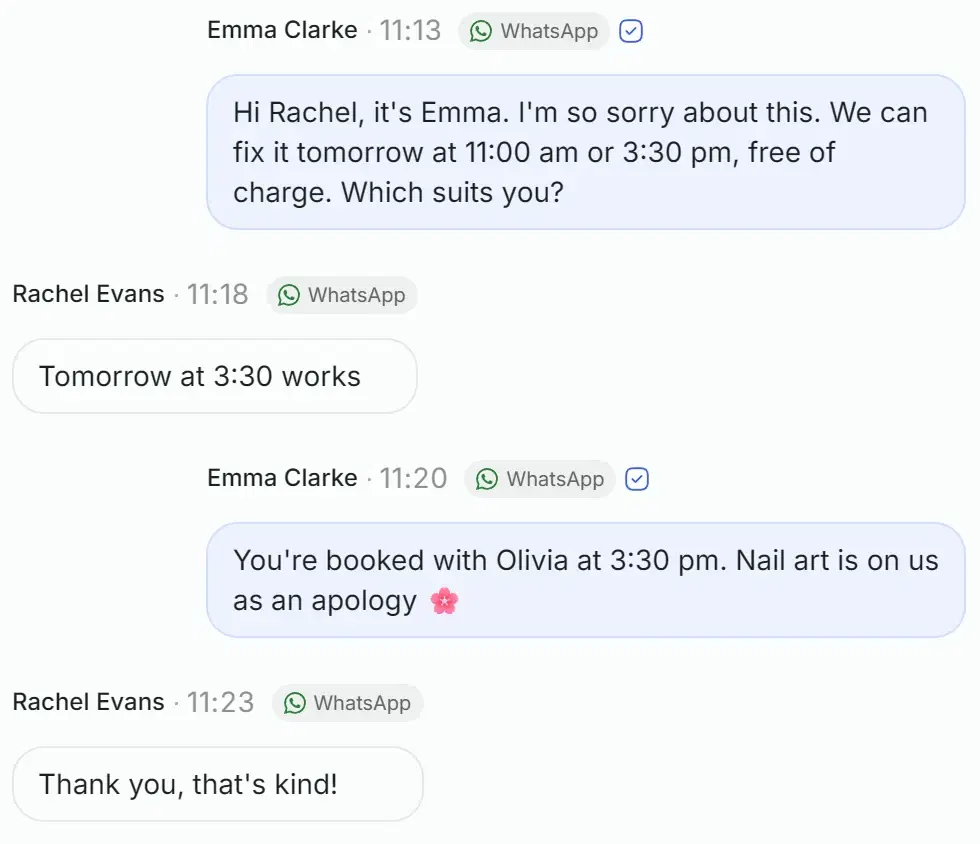
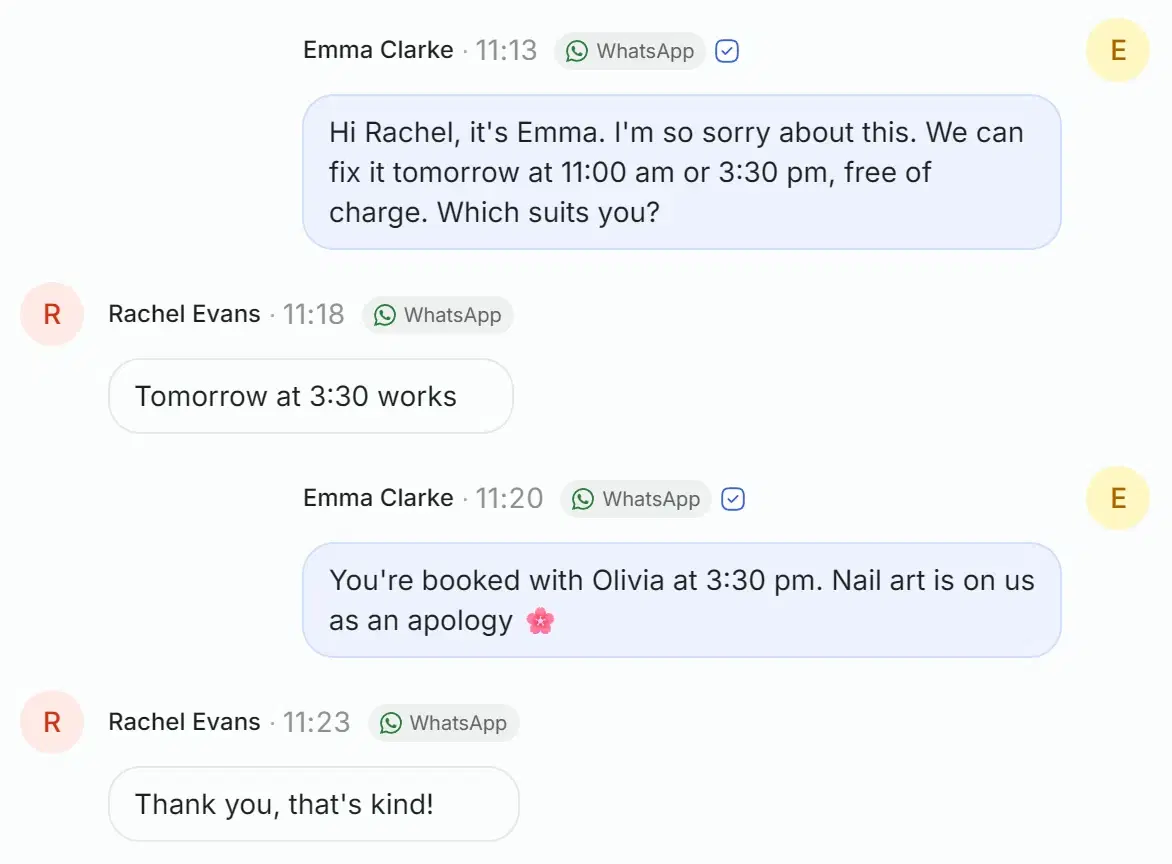
It apologised, quoted the guarantee from the knowledge base and called reception at once. The alert says the client is upset.
A client needs a person
Complaint: gel polish chipped on two nails three days after the manicure. 7 day guarantee, fix it for free. The client is upset.
Rachel EvansWhatsApp
When a client goes quiet, the assistant follows up
A series of messages in the same messenger until the client replies. How many steps, how far apart and what to write is up to you.
Example setup: silence threshold 2 hours, second step 4 hours later, third 3 hours after that, send window 09:00 to 22:00. At 20:05 Poppy wrote on Instagram, at 20:10 the assistant replied, and she went quiet.
- 109:00. The first message. The two hours of silence ran out at 22:10, but that is in the quiet hours, so the message went out in the morning.
- 213:00. The second, 4 hours after the first.
- 316:00. The third and last. All three went out before 20:05, within 24 hours of Poppy’s message: later than that Instagram, WhatsApp and Messenger do not deliver a regular message.
Instagram · Poppy Grant
Instruction for step 1
Gently remind about us and ask whether it is still relevant.
Poppy, hello! You asked about balayage for long hair. Is it still relevant? Happy to answer any questions you still have.
What starts the series
The client’s silence after the assistant’s reply: the threshold is set in minutes, from one minute to 30 days. With Bitrix24, also a deal entering a chosen stage and a button in the deal card.
What the message says
The default series and the 24-hour rule
When the series stops
Quiet hours
What the assistant does not do
These rules are part of the role itself and your custom rules do not override them.
Can you give me a discount?
Let me check the discount with reception and come back to you.
Can I pay by card right here?
Payment is taken by reception, I’m passing your question on.
Am I talking to a person?
No, I’m the salon’s virtual assistant. Shall we go on with the gift card?
Emma got one alert: questions about a discount and payment
- It does not name prices, dates, lead times or specs that are not in the knowledge base.
- It does not invent a discount. It names a discount or a promotion only if the knowledge base or your rules describe one.
- It does not take payment or confirm an order: a manager does.
- It does not make up links, article codes or sizes.
- It does not check stock: about availability it knows only what the knowledge base says.
- It does not pretend to be a human. It does not bring the subject up, and answers honestly when asked directly.
Good to know
Everything the sales assistant can do
A short list, grouped the way the settings are.
The assistant replies in the language the client writes in
How much is a gift card for a facial?
The hydrating facial is €75. By email or printed?
Conversation
- Answers only from the knowledge base
- A few options with a short comparison
- Your own qualifying questions per product
- One question per message
- Short answers, the way people text
- Address, map link and contacts on request
Knowledge and files
Request
Deals and CRM
Handover to a person
Messages to a silent client
Languages and tone
Channels
Questions about the sales assistant
How does the assistant know our prices and products?
From the knowledge base. You write articles in the dashboard, upload PDF, DOCX and TXT files or connect a Google Sheet or a Google Doc, and upload photos separately. The assistant is set to answer only from it, and when the answer is missing it says it will check.
Can it place an order and take payment itself?
No. It collects the request (what the client wants and how to reach them) and hands it to a manager. A person confirms the order and takes payment.
What if a client asks for a discount?
The assistant does not invent a discount. It names a discount or a promotion only if the knowledge base or your rules describe one; otherwise it says it will check and alerts a manager.
Which channels does it work in?
WhatsApp, Instagram, Telegram, Messenger, Viber, the website chat and Bitrix24 open channels. In the website chat it shows photos, but files and follow-ups do not go there, and a teammate continues the conversation by phone or in a messenger.
Which languages does it answer in?
In the language the client writes in. You can set a list of languages and switch on a strict mode, and then it will not move to any other language. The greeting is written separately for each language.
Do we need our own CRM for this?
No. Solwees has its own deals and tasks. If you use Bitrix24, amoCRM or Kommo, the chats land there and your team keeps working the way it does now.
Put the assistant on your chats.
Fill the knowledge base, set what to collect in a request and when to call a manager. You can check the first conversation in the test chat.