
Reminders that clients answer with one tap
The day before the visit Solwees sends each client a reminder with the time and the address. The client taps a button, writes a word or sends a 👍. With Altegio the answer goes straight into the booking; with other booking systems it is saved in Solwees for your team.
Marked as confirmed in Altegio
A reminder from Studio Demo on WhatsApp. Sophie answers with a 👍, and the visit is marked as confirmed in Altegio.
Only the buttons you need, in the client’s language
Up to three buttons go under the reminder. In the settings they are “Coming”, “Not coming” and “Reschedule”; the client sees “I will come”, “I cannot” and “Reschedule”. You keep all three or only some of them.
You choose the buttons
Some salons keep only “Not coming”: whoever is coming does not have to answer at all.
Seven languages
The buttons are in English, Spanish, Russian, Ukrainian, Polish, Czech and Latvian. A client who writes in another language gets the English ones.
Without buttons
WhatsApp connected by QR code and Telegram show no buttons. There the options can go into the text as numbers, and the client answers with a digit.
Any answer counts
Solwees understands a tapped button, a number and plain words like “I’ll be there” or “can we move it?”.
Marketing › Visit reminder
Reply buttons
Buttons under the reminder
WhatsApp through the official API
Which buttons
How the client sees them
- I will come
- I cannot
- Reschedule
Any other language gets the English buttons. A changed set of buttons is sent once WhatsApp approves it; until then the previous one goes out.
One reminder for the whole day
A client with two or three bookings on the same day gets a single reminder that names them all, not one message per visit.
Every visit in one message
The reminder lists each visit of the day with its time, service and specialist.
One answer for all
“Coming” or “Not coming” applies to every booking named in the reminder.
A 👍 works everywhere
A 👍 on the reminder or on the booking confirmation counts as “Coming”. A 👎 gives the manager a card to look at.
2 visits marked as confirmed in Altegio
“Not coming” and your own replies
You write what the client gets back after “Coming” and after “Not coming”. With Altegio you also decide what the answer changes in the booking.
Your words after “Coming”
With the client’s name, the date and the time. Without your text the client gets a short thank-you in her language.
Marked in Altegio at once
With the Altegio mark on, “Not coming” marks the visit as a no-show right away, and you decide yourself whether to free the slot.
Your words after “Not coming”
When the visit is marked at once, the client gets your text: for example, an invitation to choose a new time.
Or the assistant carries on
Without the mark, the assistant takes the conversation: it cancels or moves the booking in your system and offers another time.
Marketing › Visit reminder
Answers to the reminder
Reply to a confirmation
By button, in words or with a 👍
Thank you, Client name! See you on Date at Time. Studio Demo
Answer "Not coming"
Reply to "I can't come"
Sent when the visit is marked at once
Got it, Client name. Your appointment on Date at Time is cancelled. Write to us whenever you’d like a new time.
A text for men
In Spanish, Polish or Russian a reminder to a man reads differently. Write a second text, and every client gets the one that fits.
From the card or the name
Solwees takes the gender from the client card in your booking system, or works it out from the name.
Its own WhatsApp template
The text for men is registered as a separate WhatsApp template, so both texts can go out.
Marketing › Visit reminder
Reminder text
Main text
¡Hola, querida Client name! Te esperamos mañana a las Time. Si no puedes venir, avísanos.
Text for a male client
¡Hola, querido Client name! Te esperamos mañana a las Time. Si no puedes venir, avísanos.
Who gets which
- Lucía RomeroFemale on the client cardthe main text
- Javier OrtegaNo gender on the card: by the namethe text for men
A message a set number of hours before the visit
For a memo before a treatment or a note on the day of the visit, add a campaign that goes the number of hours before the visit you choose.
When it helps
How to prepare for a laser session or a peel, what to bring to a first visit, where to park.
A long memo, in the right form
On Telegram, Instagram and WhatsApp by QR code a long memo goes in several messages. On official WhatsApp a short message goes first, and the full memo once the client replies.
Who has read it
When the client answers that she has read it, the campaign marks it, and you see who has.
Memo marked as read
At the right hour, and quiet at night
Solwees writes to clients in the daytime by your local time. The reminder goes at the hour you choose, or a set number of hours before the visit.
Your hour, or the daytime
By default the day before, in the daytime from 9:00 to 21:00. You can set an exact hour the day before, from 7:00 to 22:00, or a number of hours before the visit. A moment at night moves to 9:00 that morning if that is still at least an hour before the visit, otherwise to 20:00 the evening before.
Not for last-minute bookings
A booking made less than 24 hours before the visit gets no reminder: the client has only just booked. In the hours-before mode the limit is that number of hours plus 30 minutes.
Quiet nights
Confirmations, changes and cancellations arrive at once. With quiet nights on, those that happen between 21:00 and 9:00 wait until 9:00.
A second reminder
A client who has not answered can get one more reminder at the hour you set, and everyone can get a short note on the day of the visit.
Marketing
When messages go
Visit reminder
The day before at 10:00. Any hour from 7:00 to 22:00.
Booking confirmed
Booked at 23:40, sent at 9:00
Rating, win-back, message after a dropped call
Between 9:00 and 21:00
Quiet at night
Confirmations, changes and cancellations made at night wait until 9:00
Where the client already chats
The reminder goes to the channel where the client already talks to you. A client who has not written yet gets it in the channel order you set.
The client’s channel first
Someone who writes to you on Telegram gets the reminder on Telegram, not by SMS.
Your order for new clients
WhatsApp first and SMS after it, or any order of the channels you have connected.
If one fails, the next
When a channel does not deliver, the next one in the order is tried. A channel that delivered once is tried first next time.
SMS is paid
Each SMS is billed to the salon and goes only to countries where sending is available. Telegram, Instagram and Facebook reach only clients who have written to you there.
Marketing
Notification channel order
Where to send messages to clients who have not written to the salon yet. If a channel does not deliver, the next one is tried.
A reminder for Lucas Moreno, a new client
- WhatsAppConnectedNot on WhatsApp
- SMSPaid: each SMS is billed to the salonDelivered
- TelegramOnly if the client has written to this channelNot needed
A client who has chatted with the salon gets the message where the chat was. A channel that delivered once is tried first next time.
What happened to every message
The delivery log shows every reminder, confirmation and campaign message: when it is scheduled, whether it arrived, was read and answered, and if it did not arrive, why.
Delivery log
Every message to your clients: when it is scheduled, to whom and about what, whether it arrived, and if not, why.
Today, 13 November
Lucas Moreno
+34 699 120 447
Visit reminder · visit 14 Nov, 12:30
WhatsApp · ES
Message path
- Scheduled10:00
- Sent10:01
- Not delivered
- Read
- Client replied
Number is not on WhatsApp or the client is unreachable
Add a fallback channel to the notification channel order, for example SMS or Telegram.
Every message, every status
Scheduled, sent, delivered, read, replied, not delivered or skipped, with a count for each and a filter by period.
The reason in plain words
“Number is not on WhatsApp” or “booked too late for a reminder”, with a hint on what to do about it.
The path of a message
Each step with its time, the text as it was sent, and the chat with the client one click away.
Everything about reminders
What the reminder campaign does, part by part.
- Up to three buttons under the reminder: “Coming”, “Not coming”, “Reschedule”. You keep the ones you need.
- Buttons in English, Spanish, Russian, Ukrainian, Polish, Czech and Latvian; other languages get English.
- On WhatsApp by QR code and in Telegram the options can go into the text as numbers.
- A button, a number or an answer in words is understood.
- A 👍 on the reminder or on the booking confirmation counts as “Coming”; a 👎 gives the manager a card.
- With Altegio, “Coming” marks the booking as confirmed, or leaves it as it is if you choose so. With other booking systems the answer is saved in Solwees.
- With Altegio, “Not coming” can mark the visit as a no-show at once.
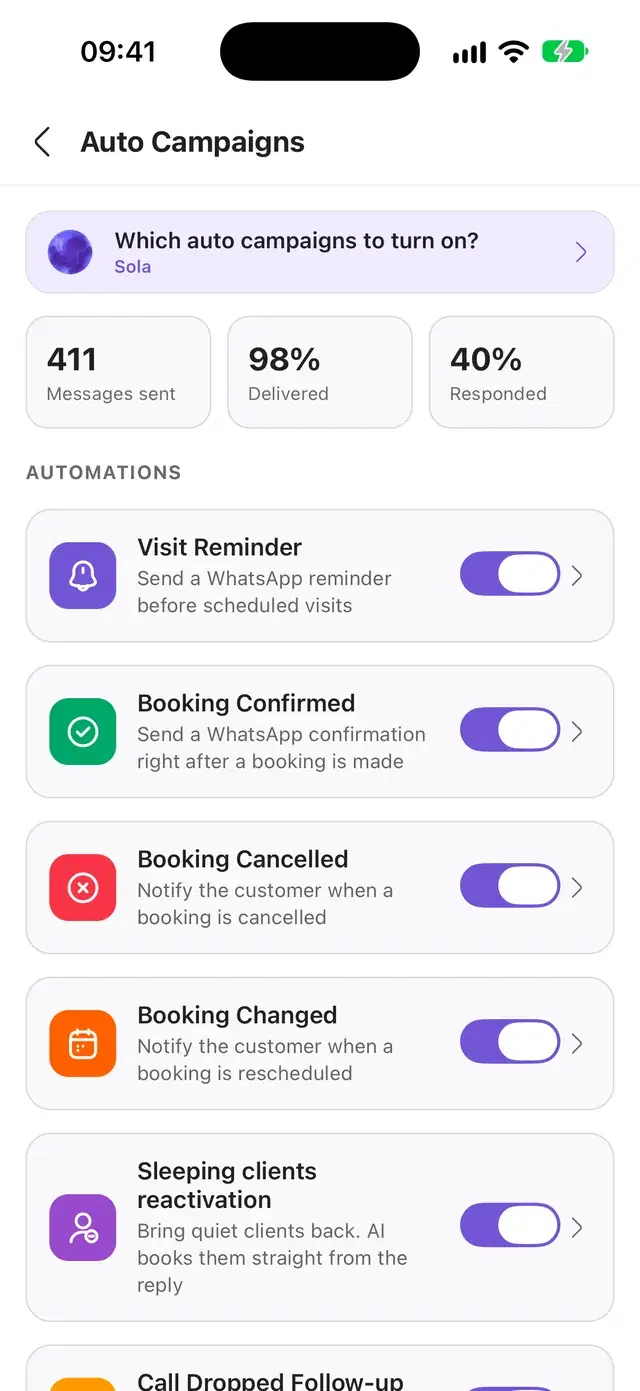
Before you start
Part of Marketing
Reminders come with the Marketing module, together with the other automatic campaigns. The price is on the pricing page.
A connected booking system
The reminder is built from a booking in your booking system, Altegio for example: the date, the time, the service and the specialist.
Buttons on WhatsApp
Buttons need WhatsApp connected through the official API. With WhatsApp by QR code or Telegram the options go into the text as numbers.
Questions about reminders
When does Solwees send a visit reminder?
The day before the visit. By default it goes in the daytime, 9:00 to 21:00; you can set an exact hour from 7:00 to 22:00, or a number of hours before the visit. A booking made less than 24 hours before the visit gets no reminder, because the client has only just booked; in the hours-before mode the limit is that number of hours plus 30 minutes.
How can a client answer the reminder?
On WhatsApp through the official API with a button: the client sees “I will come”, “I cannot” and “Reschedule” (“Coming”, “Not coming” and “Reschedule” in the settings), and you choose which to keep. On WhatsApp by QR code and in Telegram the options can go into the text as numbers. A reply in words and a 👍 count too.
Does the client’s answer reach my booking system?
With Altegio, yes. “Coming” marks the booking as confirmed in Altegio (or leaves it as it is, if you set it so). “Not coming” can mark the visit as a no-show at once; otherwise the assistant takes the conversation, cancels or moves the booking and offers another time. With other booking systems the answer is saved in Solwees and your team sees it.
Which channel does the reminder go to?
To the channel where the client already chats with you. A client who has not written yet gets it in the channel order you set, for example WhatsApp first and SMS after it. If a channel does not deliver, the next one is tried.
How do I see who got the reminder and who did not?
In the delivery log. It shows every message with its status: scheduled, sent, delivered, read, replied, not delivered or skipped, and for the last two the reason in plain words.
What do I need to start sending reminders?
A booking system connected to Solwees, Altegio for example, and a connected channel such as WhatsApp. Reminders are part of the Marketing module; its price is on the pricing page.
Let the reminders go by themselves
Connect your booking system and a channel, choose the buttons and the texts, and every client is reminded the day before.