
Answers from your own articles. Learns from every finished chat.
Solwees is an AI receptionist for service businesses that answers clients in chats and on calls from your knowledge base: articles you write, uploaded files, synced Google Sheets and Docs, and the services and prices of your booking system. When your team answers something it did not know, Solwees suggests adding it, and you decide.
Knowledge base › Article
Parking and public transport
Parking: a free car park behind the building, the entrance is from the side street. The studio is on the first floor, the door next to the pharmacy. By public transport: bus 7 or 12 to Central Square, then three minutes on foot.
The marked lines are what the answer came from.
A question about parking before a Saturday visit. The answer comes from the salon’s article “Parking and public transport”, shown under the chat as the knowledge base keeps it.
Everything it answers from
Write articles in the dashboard, upload files, connect a Google Sheet or Doc. Services, prices and durations come from the booking system you connect, so you never retype the price list.
Articles
Your rules, policies and answers in your own words. The assistant quotes them as you wrote them.
Files
PDF, DOCX and TXT up to 20 MB: a price list, a menu, aftercare instructions.
Google Sheets and Docs
Solwees keeps them in sync on a schedule, or at once with Sync now. Change the text in the source and the knowledge base follows.
Photos
A separate section for pictures the assistant can send to a client, such as nail designs or results.
Shared or for one assistant
An article serves every assistant of the workspace, or belongs to one of them.
Knowledge › Content
Knowledge base
- Parking and public transportArticle
- Deposits and cancellationsArticle
- Aftercare and products.pdfPDF file
- Questions and answersGoogle Sheet · synced today at 09:00
- Gift cardsGoogle Doc · synced today at 09:00
- Nail designs24 photos
Services, prices and durations: from Altegio
When the answer is not there
The assistant does not make an answer up. It searches the knowledge base and the list of services first. If the answer is not there, it tells the client that a person will clarify it and passes the question to your team.
Your team gets an alert
The question waits in the inbox with an alert, and anyone on the team answers in the same chat.
The rest of the chat goes on
The assistant keeps answering the client’s other questions.
Prices only from your data
Prices and times are quoted only from the knowledge base and the booking system.
Passed to the team: the answer is not in the knowledge base
Mia’s answer is what self-learning picks up next: it comes back as a suggested fact.
It learns from finished chats
With self-learning on, after a chat closes Solwees picks out what your team told the client that the assistant did not know. Each suggestion waits for you with where it came from: a fact, a setting, a behaviour, or the words clients use for a service.
Where it came from
The client’s question and your team’s answer, side by side, with a link to the conversation.
How often it came up
The card shows how many conversations it was seen in, so you know whether it is a rule or a one-off.
Nothing changes until you decide
Reject it, or prepare the change, check exactly what it will do and apply it.
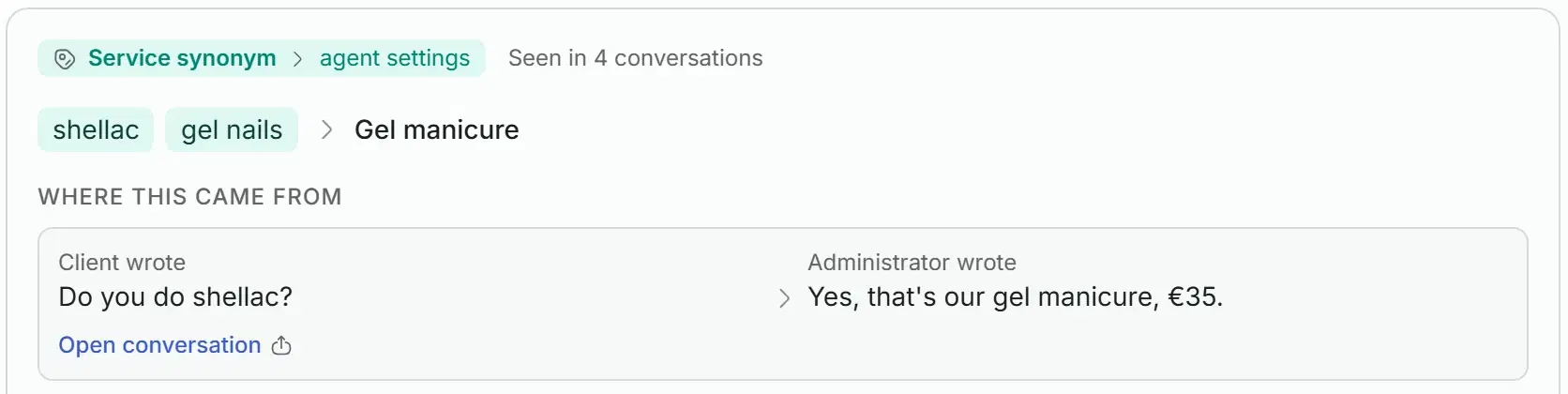
Knowledge base › Suggested knowledge in the demo salon: clients’ words for a gel manicure, learned from a real exchange between a client and the front desk. Swipe to see the whole card.
What each one changes
Before anything is saved, Solwees prepares the change and shows it to you: the article and its new text, the field as it is now and as it will be, the steps added to the conversation. You apply it or reject it.
A fact is added to the knowledge article on the same topic: one topic, one article. With no article on the topic yet, a new one is created.
- You see the article it goes to and how the text will read.
- If the fact changes what an article says, the card shows the line it replaces.
- You can correct the text before you apply it.
Factto the knowledge base
Seen in 2 conversations
Studio Demo sells the gel polish it uses: €12 a bottle, at the reception.
Client asked
Do you sell the gel polish you use?
Front desk answered
Yes, we do: €12 a bottle, at the reception.
Will be added to the article “Aftercare and products”
After a gel manicure, keep your hands out of hot water for the first evening and use cuticle oil every day. The gel polish we use is sold at the reception: €12 a bottle.
A setting is one field of the assistant’s card, shown as it is now and as it will be.
- Only that field changes, and you can correct the proposed value.
- The card shows how many times your team answered this way.
A behaviour is a change to how the assistant runs a conversation, shown as the steps that will be added to its conversation flow.
- Changes to the conversation flow always wait for you.
- A rule seen in only one chat is marked, so you apply it only if it should always be so.
Apply at once, or one by one
Every part of self-learning has its own switch, and all of them are off until you turn them on. Suggestions wait for you under “Suggested knowledge”, or, with “Apply changes at once, without approval”, go straight to the assistant.
What goes in at once
A fact goes into the article on its topic, a setting into the assistant’s card, a synonym into the wordings of its service.
What always waits for you
Changes to the conversation flow, and anything that would change your own articles. Your articles are never changed without a person, and conflicts wait for you too.
Everything can be undone
Every change is listed under “Applied”, marked “Applied automatically” when it went in by itself, with an Undo button.
Synced articles stay as they are
An article synced from a Google Sheet or Doc is never overwritten: you fix it in the source.
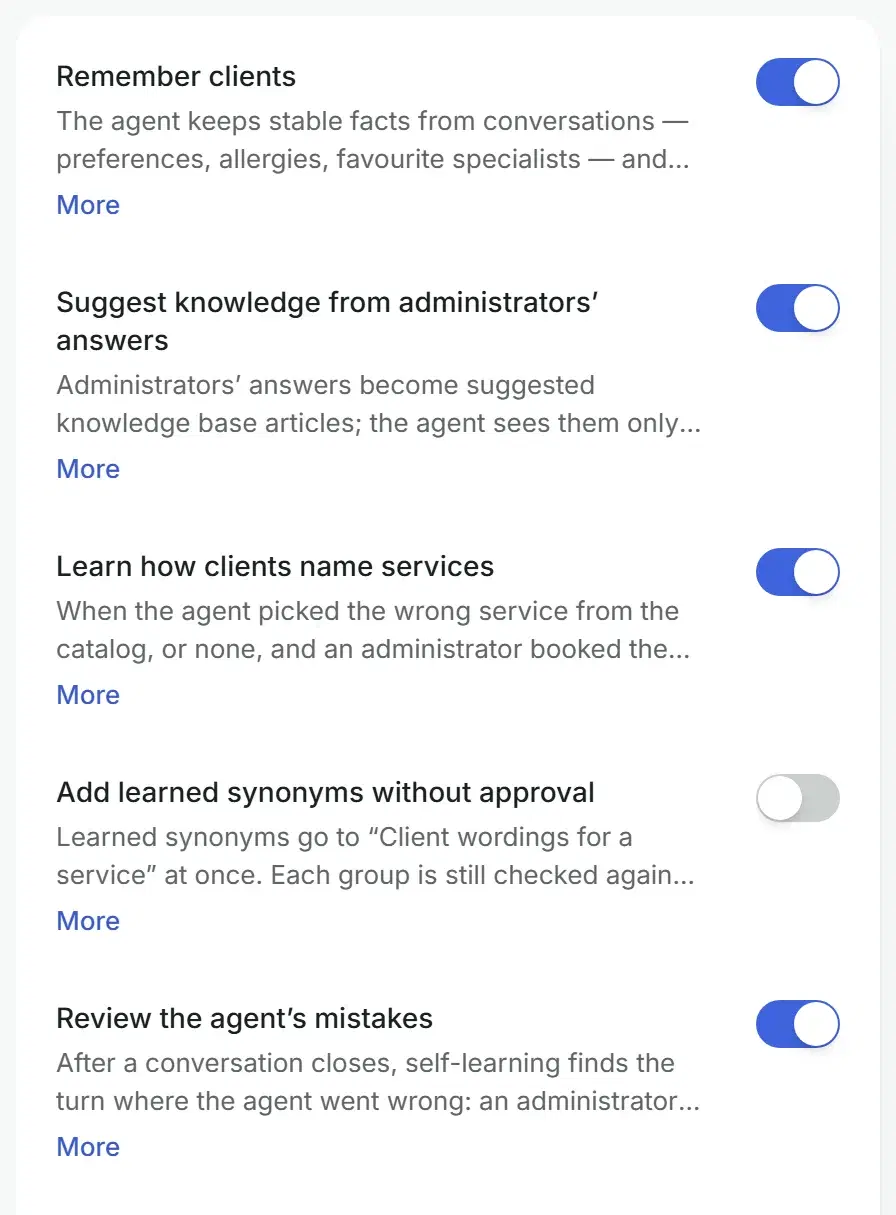
The words your clients use
Clients write “gel”, “shellac” or “white spots on my face”, not the name in your price list. When the assistant missed the service and the front desk booked the right one, the client’s words are suggested as synonyms of that service.
Checked before they go in
Each group is checked against your catalogue and your other synonyms, so the words you already have keep finding the same services.
Your own groups stay yours
Groups you wrote are never changed. Learned ones are marked “Added by self-learning”.
With or without approval
Approve each group, or let learned synonyms go in at once. Every change can be rolled back in the settings history.
Assistant profile › Answers about services
Client wordings for a service
Search by service or wording
Gel manicure
gelshellacgel polish
Milia removal
Added by self-learning
white spots on facemilia on face
Brow lamination
Added by self-learning
brow permfluffy brows
Lash extensions
lashesvolume lashes2D lashes
Its own mistakes, reviewed
After a chat closes, Solwees also finds the turn where the assistant went wrong and suggests what to change. Such a suggestion is marked as coming from an assistant mistake and waits with the others.
What counts as a mistake
The front desk corrected the assistant, the client refused the time it offered, it handed the chat over for no reason or lost a handover, or it booked a different service than the front desk proposed.
What it suggests
What can be fixed with data becomes a suggestion: a fact, a setting or a step of the conversation flow.
What it never touches
The assistant’s instructions are never changed automatically, and a change to the conversation flow always waits for you.
From an assistant mistake
Handover was lost
In the conversation
Client wrote
I’d like a refund for yesterday’s visit.
Assistant
I’ll pass this on to the team.
No handover followed, so the team never saw the request.
Behaviourto the conversation flow
When a client asks for a refund, hand the chat to the team.
Will be added to the conversation flow
Situation (if the client…)
asks for a refund
Rule in your own words
Hand the chat to the team before saying it has been passed on.
A new assistant starts filled in
A new assistant is created from a pack for its industry: salon, restaurant, sales or clinic. It comes with the settings of its card, a conversation flow and draft articles, plus a “What to fill in” list of what only you can tell it.
Draft articles with blanks
Parking, payment, cancellations, warranty, gift cards: you type your answer into each blank. While blanks remain, the assistant does not see the article.
A conversation flow from your industry
The steps similar businesses use, marked “standard”: switch any of them off or change it.
Not needed?
An article that does not fit your business goes to the archive and leaves the list.
In your language
Texts for clients come in your business language. Those translated automatically are on the list for you to check.
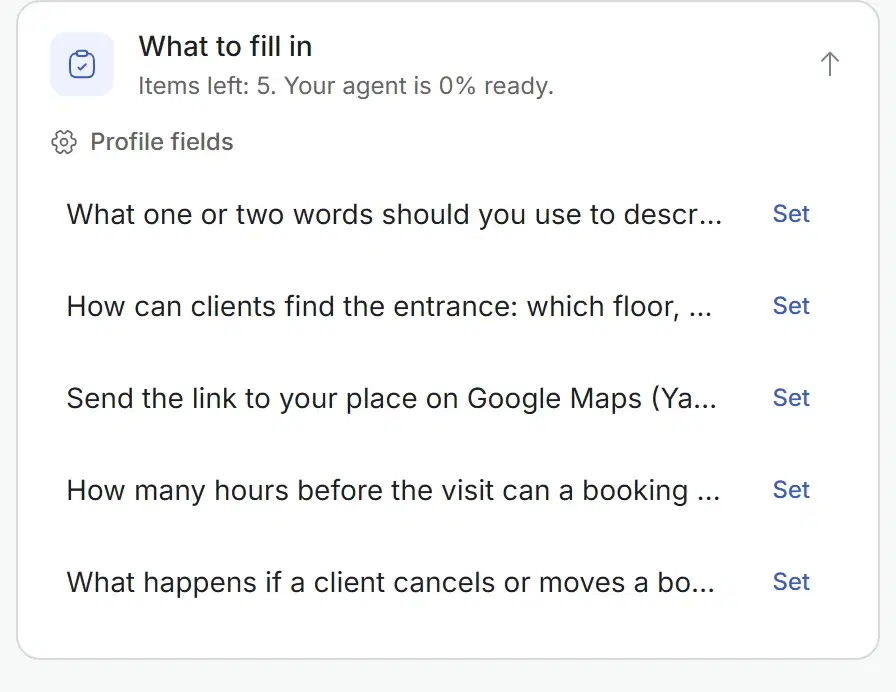
Everything about the knowledge base
The full list, group by group.
- Articles written in the dashboard
- Articles from the mobile app too
- PDF, DOCX and TXT files up to 20 MB
- Google Sheets and Docs, kept in sync
- Sync on a schedule or with Sync now
- Photos the assistant can send
- Services and prices from your booking system
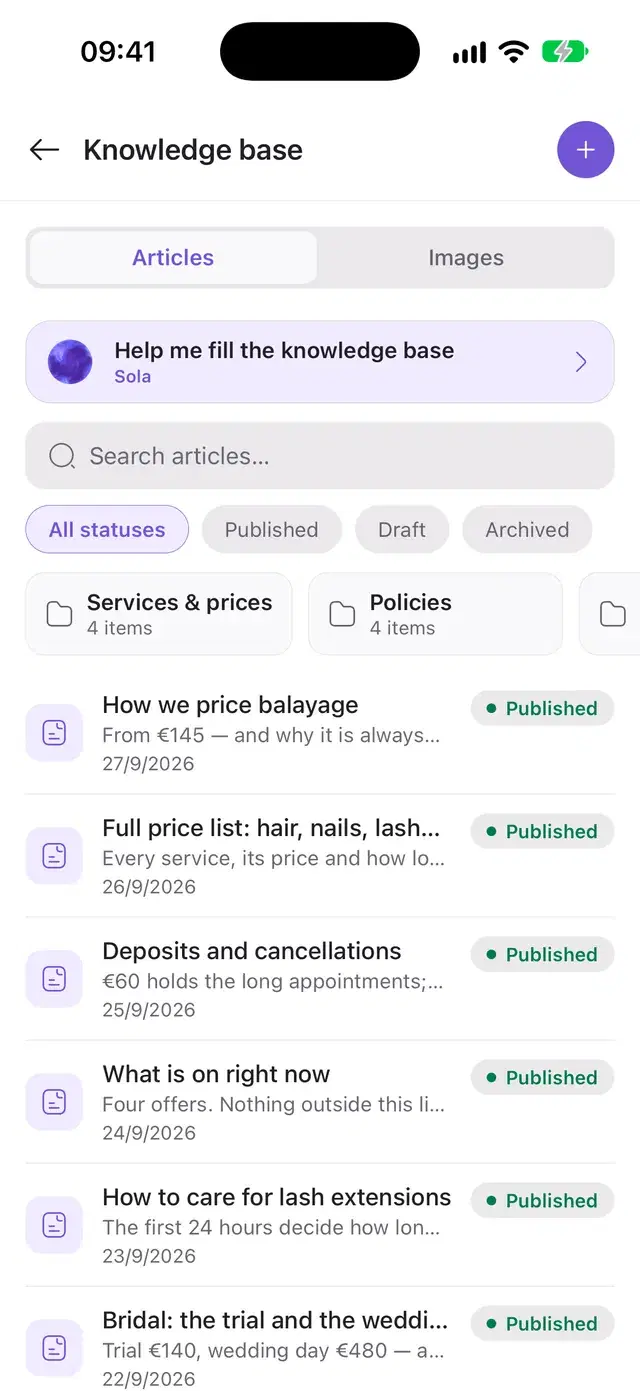
Before you start
Plan
The knowledge base comes with every plan that has the assistant. Hub, the shared inbox without the assistant, has none.
Booking system
Services, prices and durations come from the booking system you connect. The supported systems are on the integrations page.
Where to edit
Files and Google sources are added in the web dashboard. Articles can also be written and published in the mobile app.
Questions about the knowledge base
What can I upload to teach an AI receptionist about my business?
Articles you write in the dashboard, files in PDF, DOCX or TXT up to 20 MB, and a Google Sheet or Google Doc that Solwees keeps in sync. There is a separate section for photos the assistant can send to clients. Services, prices and durations come from the booking system you connect, so you do not retype the price list. The supported booking systems are listed on the integrations page.
How do I update what the AI receptionist knows?
Edit the article or replace the file, and the assistant answers from the new version in the conversations that follow. A connected Google Sheet is refreshed on a schedule or with the Sync now button. Articles can be added, edited and published from the mobile app too; files are uploaded in the web dashboard. The address and opening hours are kept in the business profile.
What does the assistant do when the answer is not in the knowledge base?
It does not make an answer up. Solwees first searches the knowledge base and the list of services. If the answer is not there, the assistant tells the client that a person will clarify it and passes the request to your team, who get an alert. It keeps answering the client’s other questions. Prices and times are quoted only from the knowledge base and the booking system.
Does Solwees change the knowledge base by itself?
Only if you let it. Self-learning is off until you switch it on. Then, after a chat closes, it suggests facts, settings and conversation rules from what your team answered, and each one waits for your Apply or Reject. With “Apply changes at once” facts, settings and synonyms go in by themselves, while changes to the conversation flow and to your own articles still wait for you. Every change is listed and can be undone.
How does a new assistant get its first knowledge?
It is created from a pack for its industry: salon, restaurant, sales or clinic. The pack brings the settings of its card, a conversation flow and draft articles with blanks for your details, such as parking, payment, cancellations, warranty and gift cards. A “What to fill in” list shows what is left and how ready the assistant is. A draft stays hidden from the assistant until its blanks are filled in.
Is the knowledge base included in every Solwees plan?
It comes with every plan that includes the assistant, and it is open during the 7-day free trial. Hub, the shared inbox without the assistant, has no knowledge base. Articles can be shared by all assistants of a workspace or belong to one of them. The plans are compared on the pricing page.
Write it once. Solwees answers it every time.
Add your articles and files, connect your booking system, and let the chats your team finishes teach the assistant the rest.